MusVideo
AiDR 26Turn Your Music Into Video
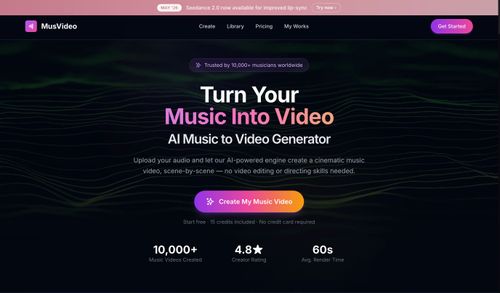
MusVideo offers an intuitive AI-driven solution for musicians to transform their audio tracks into visually engaging music videos. By analyzing the rhythm, mood, and structure of the uploaded audio, it generates synchronized, cinematic visuals without requiring any video editing skills.
Key Advantages
- ✓Generates beat-synced visuals tailored to the audio's mood and energy.
- ✓No video editing skills required, making it accessible for non-professionals.
- ✓Supports multiple visual styles, including lyric videos and visualizers.
Trade-offs & Considerations
- •Focused on music-to-video conversion, not suitable for other types of video production.
- •Free version limited to 15 credits, which may not suffice for extensive use.
What is MusVideo?
MusVideo is an innovative AI-powered platform that transforms your audio tracks into stunning music videos. By simply uploading your music, the app generates cinematic visuals scene by scene, making it the fastest way to convert audio into engaging video content online.
Key Features & Highlights
5 FeaturesCore capabilities and advantages of using MusVideo for your workflow:
How to use MusVideo
Using MusVideo is a breeze! Start by signing up for an account on their website. Once logged in, simply upload your audio track and choose from various visual themes that match your music's vibe. The AI will then generate a music video in real-time, which you can preview and tweak if needed. Finally, download your stunning new video or share it directly to social media to captivate your audience instantly!
About MusVideo
As a curator, I’m genuinely excited about MusVideo because it addresses a significant gap in content creation for musicians and indie creators. In a digital landscape where video is king, finding a quick and efficient way to visualize music can be a game-changer. MusVideo enables founders to enhance their brand presence with captivating visuals that resonate with audiences, all without needing extensive video editing skills. By automating the video creation process, this tool allows creators to focus on what they do best – making great music – while expanding their reach on platforms like YouTube and social media.
Real performance numbers in the last 30 days
Frequently Asked Questions
Common questions about MusVideo, features, and launch details.
Q:What types of audio files can I upload?
You can upload MP3, WAV, or any audio file format supported by our platform.
Q:How long does it take to generate a music video?
Typically, it takes around 60 seconds to render your music video, depending on the length and complexity of the track.
Q:Can I customize the visual style of my music video?
Yes, you can choose from various visual styles or let the AI automatically select one that matches your track's mood and energy.
Related Ai Apps
View All →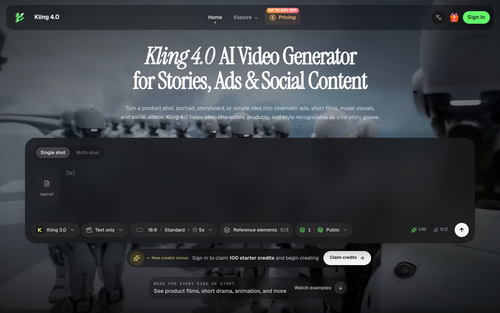
Kling 4.0
Kling 4.0 AI Video Generator for Stories, Ads & Social Content

Influence
Plan, write and schedule your social media posts.

The Audio Stuff
Honest Hi-Fi Gear Reviews Built on Real Listening
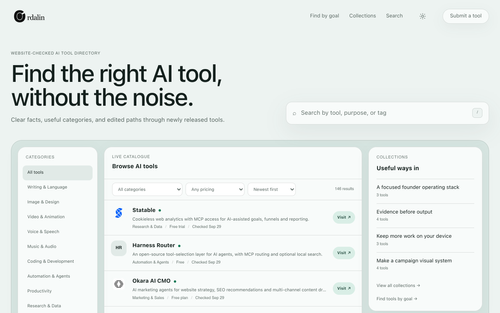
Ordalin
Ordalin — find the right AI tool for the job

Coralflavor
Freedom-First Unfiltered AI
Home Agent Guru
Find out how much room you may have to negotiate before making an offer on a home
Featured Banner for MusVideo Ai Tool (1080x75)