
Tavoa AI
Tavoa AI | Imagine Anything. Create Anything with AI
Tavoa AI is an all-in-one AI content creation platform that brings image generation, video production, music, and voice tools into a single workspace for founders and independent creators. By combining multiple AI models, cinematic controls, creative presets, and automation, it helps solo operators produce multimedia content without constantly switching between separate tools or coordinating a full creative team.
Indie founders, solo creators, and lean content teams producing launch visuals, social videos, narrated content, or faceless channels without a dedicated creative department.
Tavoa AI is worth shortlisting if your solo business needs several types of creative content and you want fewer disconnected tools. Test a real project first to assess output quality, credit consumption, and whether its production controls fit your workflow.
Tavoa AI
Monday, November 16, 2026
- Unified AI workspace for generating images, videos, music, and voice content.
- Image Lab with access to multiple AI image models.
- Cinematic video tools highlighting motion, camera control, and character consistency.
- Faceless Studio for automated, topic-driven channel creation.
- Creative automation with Supercomputer and MCP and CLI access for Claude-connected workflows.
- Combines AI image, video, music, and voice creation in one workspace.
- Offers specialized creative workflows, including Image Lab, cinematic production tools, and topic-driven faceless channel creation.
- Supports creative automation and MCP and CLI access for connecting Claude with Tavoa.
- Credit allowances, generation costs, and commercial usage terms are not explained in the supplied website content.
- Tavoa Studio is in beta, so founders relying on it for production should evaluate its maturity first.
Start by creating a free Tavoa account, then choose the workspace that matches your goal: Image Lab for visuals, the video studios for cinematic content, or Faceless Studio for a topic-led channel project. Write a specific prompt describing your subject, style, format, and intended audience, select an available model or preset, and refine the result through successive generations while checking credit requirements. For a broader campaign, use the platform’s music and voice tools alongside your visuals, explore public projects for workflow inspiration, and consider its automation or MCP and CLI options when you need repeatable production.
What stands out to us about Tavoa AI is its focus on running a one-person creative operation, rather than simply generating another isolated asset. For indie founders juggling product launches, social content, and brand storytelling, having AI image, video, music, and voice tools together could reduce the friction of moving between subscriptions and workflows. Image Lab focuses on visual creation, while Cinema Studio and Tavoa Studio support more involved video production. Faceless Studio adds a topic-driven approach to channel creation, and MCP and CLI access give technical builders another way to connect creative work with Claude. We also like the public project community as a source of inspiration. Founders should note that Tavoa Studio is labeled beta, and confirm credit costs and usage rights before committing to production.
Real performance numbers in the last 30 days
Questions
Can I try Tavoa AI for free?
Yes. Tavoa advertises a free starting option with no credit card required, along with welcome credits. The supplied website content does not specify the free credit allowance, eligible models, or generation limits, so check the current signup details before planning a project.
What types of content can I create with Tavoa AI?
Tavoa supports AI-generated images, videos, music, and voice content. Its specialized workspaces include Image Lab for visuals, cinematic video tools, and Faceless Studio, which is designed to launch a faceless channel from a single topic.
Can I use Tavoa AI content commercially?
The website lists commercial usage as a frequently asked question, but the supplied content does not include its answer. Before using outputs in client projects, advertising, or paid products, review Tavoa’s current terms and any applicable model-specific restrictions, and confirm that your source materials are cleared for use.
Best Tavoa AI Alternatives & Similar Ai Tools (2026)
View all| Tool | Category | Summary / Best For | Pricing | Profile |
|---|---|---|---|---|
| Tavoa AI (Current) | Ai | Tavoa AI is an all-in-one AI content creation platform that brings image generation, video production, music, and voice tools into a single workspace for founders and independent creators. By combining multiple AI models, cinematic controls, creative presets, and automation, it helps solo operators produce multimedia content without constantly switching between separate tools or coordinating a full creative team. | See site | — |
| aSERP | Ai | Brand visibility, competitive intelligence and MCP-powered insights for AI search. | See site | View |
| Happy Wan | Ai | Happy Wan — Multimodal AI Video Generation | See site | View |
| VisiTralai.lt | Business | Need vehicle recovery in Lithuania? Book a recovery truck online 24/7. Check prices before | See site | View |
| Substack Explorer | Productivity | Find top Substack newsletters and creators in any niche | See site | View |
| Quick Viral Notes | Marketing | Turn your long-form articles into Notes and social posts | See site | View |
| Build to Launch MCP | Agent | Connect your AI agent to 300+ methods and 100+ live tools | See site | View |
 aSERPBrand visibility, competitive intelligence and MCP-powered insights for AI search.
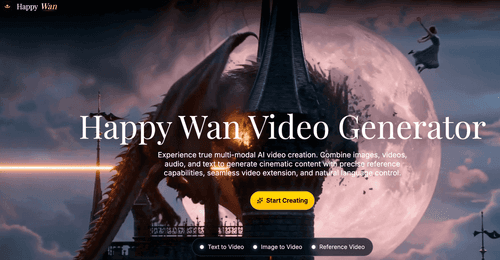 Happy WanHappy Wan — Multimodal AI Video Generation
 VisiTralai.ltNeed vehicle recovery in Lithuania? Book a recovery truck online 24/7. Check prices before
 Substack ExplorerFind top Substack newsletters and creators in any niche
 Quick Viral NotesTurn your long-form articles into Notes and social posts
 Build to Launch MCPConnect your AI agent to 300+ methods and 100+ live tools