 Indietool

Viral Video AI
Viral Video AI: Viral AI Video Generator with Trend Templates
Viral Video AI is an AI video generator that turns text prompts, photos, and reference clips into 4–30-second videos for TikTok, Instagram Reels, and YouTube Shorts. Built around short-form content creation and trend-inspired templates, it helps founders and creators develop original social videos without filming every scene, manually animating images, or starting each concept from scratch.
Indie founders, solo creators, and lean social marketing teams testing short-form video concepts for TikTok, Instagram Reels, and YouTube Shorts.
Viral Video AI gives lean teams several practical routes from an idea or image to a short social video. Its reference workflow and visible credit estimates make creative testing easier to plan, but a generated clip still needs a strong concept to earn attention.
Viral Video AI
Wednesday, November 18, 2026
1.5 / 100
Ahrefs Domain Rating measures backlink strength on a 0 to 100 scale.
- Text-to-video and photo-to-video generation for 4–30-second social clips.
- Reference-video input through uploads or public TikTok, YouTube, and Instagram links.
- Trend-inspired templates for dance videos, pet reactions, transitions, and other short-form concepts.
- Model, aspect ratio, duration, resolution, and supported audio settings with upfront credit estimates.
- Support for up to 9 images with Basic or Standard, or 30 images with Pro, plus one reference video.
- Start from text, photos, uploaded reference clips, or public TikTok, YouTube, and Instagram links.
- Trend-inspired templates and reusable example prompts provide concrete creative starting points.
- Credit estimates appear before generation, helping users assess the cost of each attempt.
- Videos are limited to 4–30 seconds, making the tool unsuitable for long-form production.
- Duration, resolution, and media limits depend on the selected model; clips longer than 15 seconds require Pro.
Start with a text idea, upload a photo or reference video, paste a public TikTok, YouTube, or Instagram URL, or choose a trending template that fits your concept. Preview any reference clip, describe the original version you want to create, and choose the available generation model, aspect ratio, duration, resolution, and audio settings while checking the displayed credit estimate; videos longer than 15 seconds automatically select Pro. Generate your clip, preview the result, and download it, then refine your prompt or source media if you want another variation before publishing to your chosen social platform.
What catches our attention about Viral Video AI is its flexible starting point: you can bring an idea, upload a photo, or paste a public social video link as creative reference. For indie founders juggling product development and distribution, that flexibility offers a practical way to explore short-form content without organizing a shoot. The template library includes dance clips, pet reactions, transitions, and other playful formats, while adjustable generation settings give users control over duration, resolution, and model selection. We also appreciate the upfront credit estimate and the ability to inspect example prompts before adapting them. This is most compelling as a creative experimentation tool: useful for testing social concepts and generating visual variations, rather than a promise of viral reach.
Real performance numbers in the last 30 days
Questions
Can I generate a video from a photo or an existing social video link?
Yes. You can start with a photo, upload a reference video, or paste a public TikTok, YouTube, or Instagram URL. The link workflow lets you preview the reference and describe your own take without downloading and re-uploading the source clip. The reference guides a new AI-generated video rather than simply reposting the original.
How long can Viral Video AI videos be, and what resolution is available?
The generator supports videos from 4 to 30 seconds, depending on the selected model. Basic is listed for 4–15-second clips at 480p or 720p, with native audio support. Choosing a video longer than 15 seconds automatically switches the generator to Pro; check the current settings for the options available to your generation.
How much does it cost to generate a video with Viral Video AI?
Viral Video AI uses credits and shows an estimate before you generate. The displayed example lists a 4-second, 480p Basic video with native audio at 7 credits, approximately $0.07. Treat that as an example rather than a flat price for every video, and check the estimate after selecting your settings.
Best Viral Video AI Alternatives & Similar Ai Tools (2026)
View all| Tool | Category | Summary / Best For | Pricing | Profile |
|---|---|---|---|---|
| Viral Video AI (Current) | Ai | Viral Video AI is an AI video generator that turns text prompts, photos, and reference clips into 4–30-second videos for TikTok, Instagram Reels, and YouTube Shorts. Built around short-form content creation and trend-inspired templates, it helps founders and creators develop original social videos without filming every scene, manually animating images, or starting each concept from scratch. | See site | — |
| talat | Productivity | The local transcription app for meetings, dictation, and recordings | See site | View |
| AI Attractiveness Test | Ai | AI Attractiveness Test – How Attractive Am I? | See site | View |
| Deskhall | Productivity | Organize your people and AI agents in any work environment | See site | View |
| Tavoa AI | Ai | Tavoa AI | Imagine Anything. Create Anything with AI | See site | View |
| aSERP | Ai | Brand visibility, competitive intelligence and MCP-powered insights for AI search. | See site | View |
| Happy Wan | Ai | Happy Wan — Multimodal AI Video Generation | See site | View |
 talatThe local transcription app for meetings, dictation, and recordings
 AI Attractiveness TestAI Attractiveness Test – How Attractive Am I?
 DeskhallOrganize your people and AI agents in any work environment
 Tavoa AITavoa AI | Imagine Anything. Create Anything with AI
 aSERPBrand visibility, competitive intelligence and MCP-powered insights for AI search.
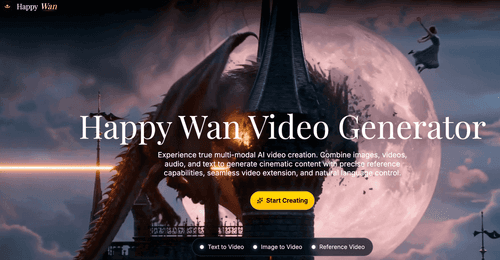 Happy WanHappy Wan — Multimodal AI Video Generation