Indietool
How to Get Website Indexed by Google: A Step-by-Step Guide

You've launched the site, submitted a sitemap, and searched for your product name. Nothing appears. Search Console says the sitemap succeeded, but your product page still isn't indexed, and pressing Request indexing again feels like the only available move.
The useful question isn't just how to get a website indexed by Google. It's which stage has stalled, and what evidence explains it. A page Google hasn't fetched needs different work from a page Google fetched and excluded.
Table of Contents
- Server and SEO Health Checks Before You Submit
- How to Set Up Search Console and Request Indexing
- Sitemap Segmentation and Internal Links That Help Discovery
- Reading Page Indexing Statuses Without Guessing
- Distribution and Backlinks That Speed Up Crawling
- Set a 30-Day Indexing Check Routine
Server and SEO Health Checks Before You Submit
A common launch failure is leaving a production site with a staging restriction, an outdated canonical, or content Google can't render. The page looks finished to you because you're logged in or your browser has already loaded the application. Googlebot may receive something different.
Start with the actual URL you want in search, not whichever version your browser opens automatically. Check its response, destination, and canonical before spending time on submissions. The website launch SEO checklist is useful for turning these checks into a repeatable release process.
Run the checks in order
Pre-launch health checks, pass conditions and fixes
| Check | Where to look | Passing result | If it fails |
|---|---|---|---|
| HTTP status | Browser devtools or URL Inspection | 200 OK on every indexable URL | Fix the error or redirect to a live 200 URL |
| Redirect chains | curl -I or a crawler | One hop to the final URL | Point internal links at the final URL |
| Canonical tag | Page source, rel=canonical | Self-referencing or the intended target | Remove conflicting or outdated canonicals |
| robots.txt | Your domain's robots.txt file | No Disallow rules blocking intended content or essential CSS and JS | Remove rules blocking pages or scripts |
| noindex directive | Page source or X-Robots-Tag header | Absent on pages meant to rank | Remove the directive, then request indexing |
| Rendered content | URL Inspection, View crawled page | Headings, body text and links visible in rendered HTML | Server-render key content or unblock scripts |
| Server response time | Crawl stats report or hosting dashboard | Consistently fast responses with no timeouts | Add caching or improve hosting capacity |
Treat the redirect target as the page you're submitting. If internal links point through unnecessary redirects, replace them with direct links. A canonical pointing elsewhere can be intentional, but it's incompatible with expecting the current page to be selected independently.
Robots.txt and noindex solve different problems. Blocking a URL prevents crawling; a noindex directive needs to be visible in a crawlable response. If you want Google to process that directive, don't block access to the page.
Check what Google can actually render
According to Google's JavaScript SEO documentation, crawling, rendering, and indexing are separate phases, and blocked scripts can prevent rendering. An HTTP 200 response alone doesn't prove Google received useful content.
Compare View Source with the HTML available through URL Inspection's View crawled page. Run Test live URL for the current response, then inspect the tested HTML and screenshot where available. Look specifically for the main heading, product description, pricing context, and ordinary crawlable links.
Practical rule: A successful browser visit isn't proof of a successful Googlebot visit.
Finally, examine Crawl stats alongside your hosting dashboard. Repeated timeouts, server errors, and rising response times justify investigating caching, database queries, application failures, or hosting capacity. Don't buy faster hosting before identifying whether the delay comes from the server, application, or an external dependency.
How to Set Up Search Console and Request Indexing
Discovered means Google knows the URL exists, crawled means it fetched the page, and indexed means it selected the page for its search index. Google's explanation of how Search works distinguishes crawling from indexing, so sitemap acceptance isn't confirmation that its pages can appear in results.
The process looks like this:
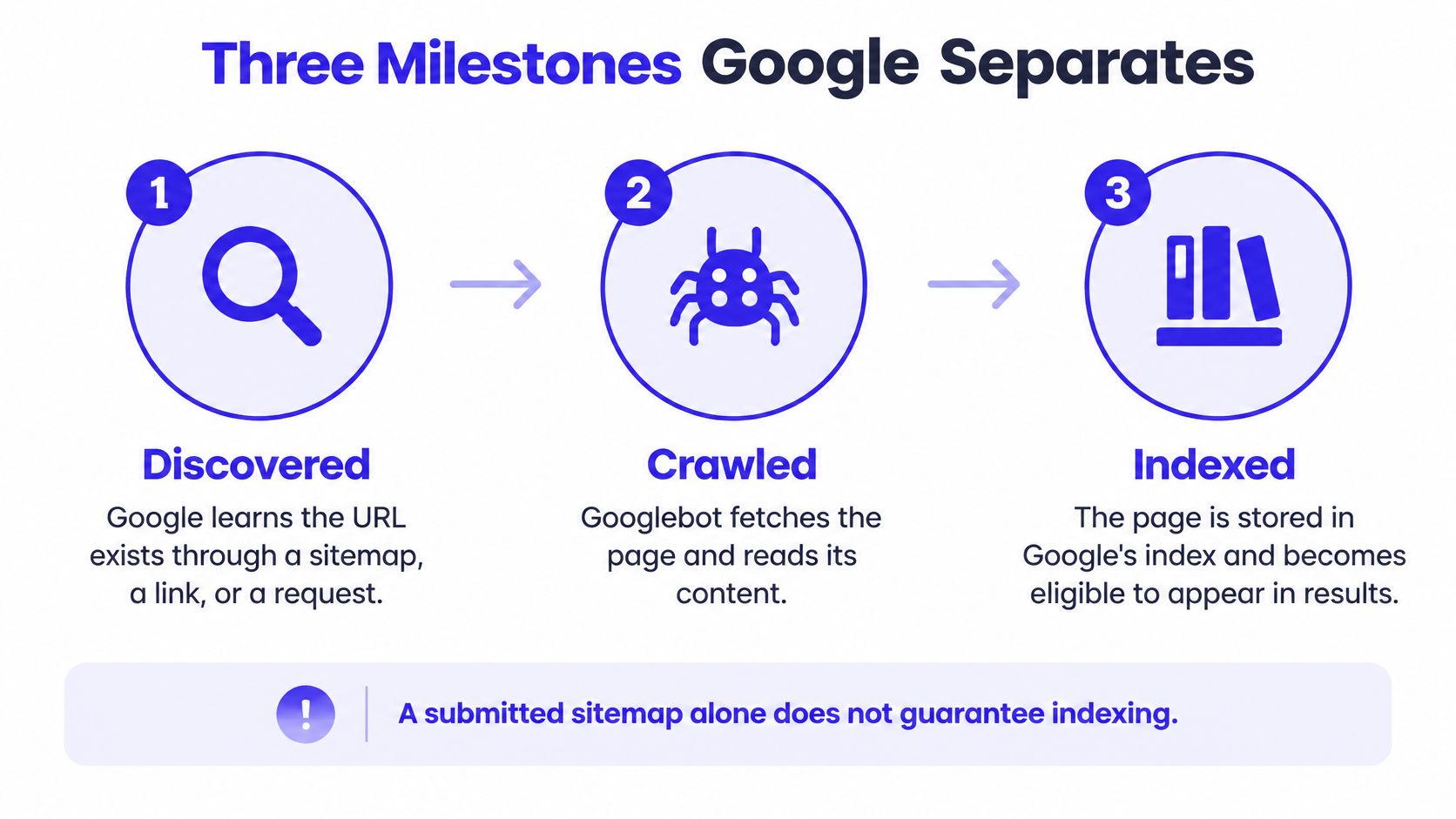
Establish the property and submit priority pages
Verify ownership in Google Search Console. Choose a Domain property if you have DNS access, then complete its ownership verification. It covers protocols and subdomains together; use a URL-prefix property when you can only verify a particular site prefix.
Open the Sitemaps report and submit your generated sitemap, commonly found at
/sitemap.xml. Confirm the status becomes Success rather than Couldn't fetch, and open the file yourself to check that it contains production URLs rather than staging addresses.Inspect the homepage and a small selection of commercially important pages. Run Test live URL and look for URL is available to Google, while remembering that this describes live eligibility, not confirmed inclusion.
Request indexing once for each priority page after its live test passes. Use this for the pages that matter to the launch, rather than treating the interface as a bulk submission tool.
Return to the Page Indexing report at your next scheduled review and record each priority URL's status. If the report and an individual inspection disagree, inspect the URL directly and compare the reporting dates before changing anything.
A successful live test doesn't evaluate every reason Google might decline to index a page. Likewise, the request button asks Google to consider crawling the URL; it doesn't reserve a place in search results. An indexed URL is eligible to appear, but it still needs to compete for relevant queries.
Handle updates without creating unnecessary new URLs
After changing an existing page, check that the published response and rendered HTML contain the revision. Deployment caches sometimes leave visitors and crawlers receiving an older version even though the content editor shows the update.
Update the sitemap's lastmod value only when the page has genuinely changed, then request indexing for the revised URL if the change is important. Keep the established address when the page still serves the same purpose. Changing the address adds redirects and canonical decisions without making the content more useful.
At this point, keep a simple working record:
- Property: Ownership verified for the correct site.
- Sitemap: Successfully fetched and populated with intended URLs.
- Priority pages: Current inspection status, last crawl, and intended canonical recorded.
Separate indexing checks from traffic analysis. Once pages receive search visibility, Blog Health App's guide can help you spot AI Overview traffic loss through performance analysis. A decline in clicks isn't, by itself, evidence that a page disappeared from the index.
Sitemap Segmentation and Internal Links That Help Discovery
A single sitemap can contain no more than 50,000 URLs and 50 MB uncompressed, according to Google's sitemap documentation. Under that URL limit, a hypothetical directory containing 120,000 URLs would need at least three sitemap files, connected through a sitemap index.
Most new products don't need that complexity. A compact sitemap is easier to audit, provided it lists canonical, indexable URLs rather than every address your application can generate.
The structure should support navigation, not just export routes from a database:
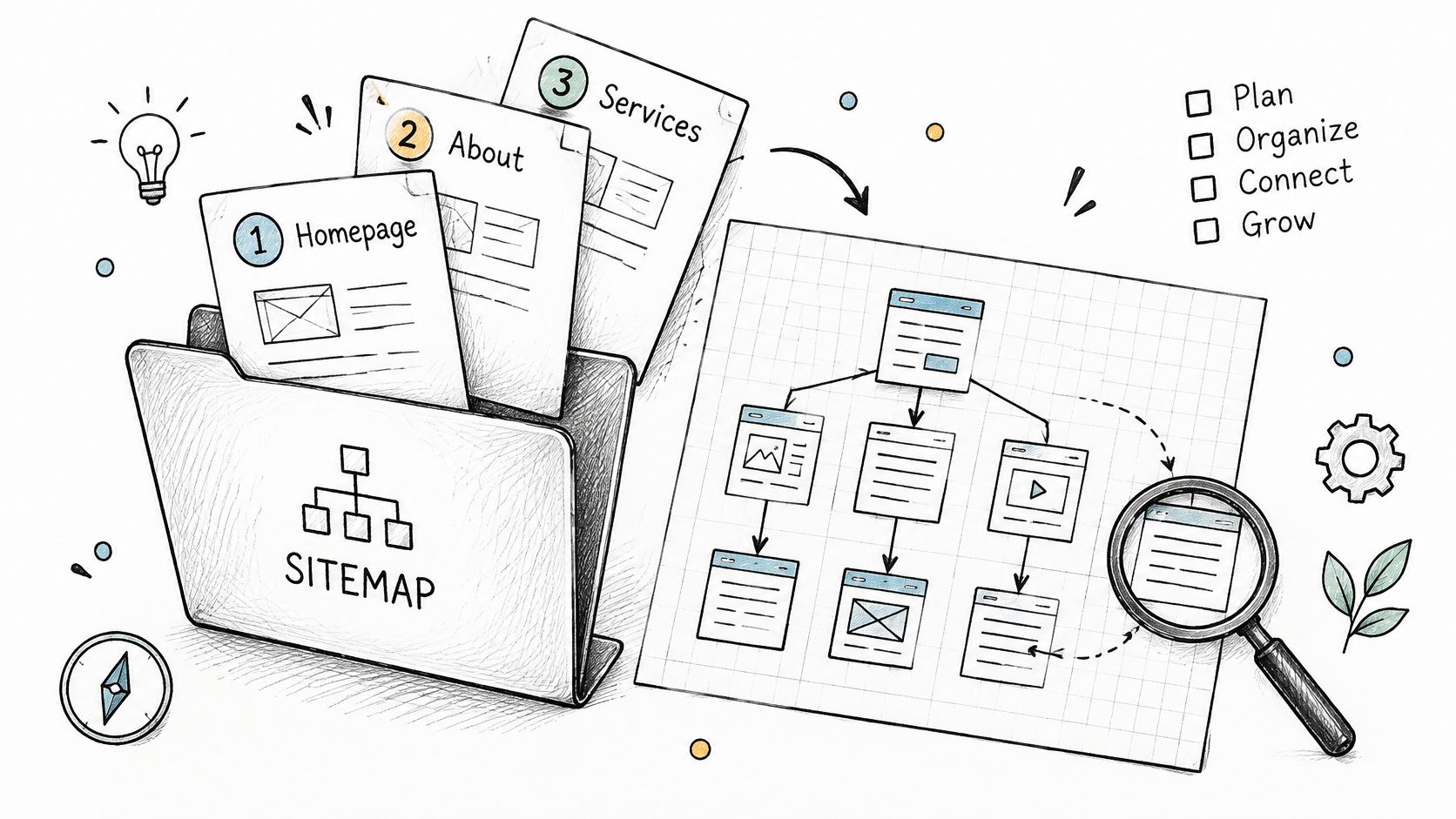
Give important pages a usable route
Use a path a visitor could follow: homepage → category hub → individual page. Then add contextual links where they answer a reader's next question, rather than relying entirely on the category listing.
- Clean sitemap entries: Exclude staging pages, redirected addresses, filtered combinations, and parameter duplicates.
- Accurate modification dates: Don't refresh every
lastmodvalue whenever the sitemap is generated. - Connected detail pages: Add breadcrumbs and relevant links from established pages, not just a sitemap entry.
A comparison page linked from an isolated category has a weak discovery route. Link the category from your main navigation or another suitable hub, and link the comparison from relevant guides where readers would genuinely use it.
For a growing catalog, SemDash's explanation of pagination that supports crawlability helps you avoid making older entries accessible only through client-side interactions. The distinction between discovery and fetching also matters when deciding what Google crawling means for your site.
Footer links can provide access, but contextual links explain the relationship between pages more clearly. Don't turn the footer into an exhaustive URL dump. A page reachable only through a sitemap is an internal-link orphan, even if the sitemap itself is perfectly valid.
Reading Page Indexing Statuses Without Guessing
Resubmitting rarely fixes a page that Google has already crawled and excluded. Google's crawling and indexing FAQ explains why discovery mechanisms don't guarantee inclusion: Google still decides whether to retain the page.
Open Search Console's Page Indexing report and select an exclusion reason. Choose an example URL, then open URL Inspection to examine its last crawl, fetch result, indexing permissions, and canonical information where available. Read the status as a diagnostic starting point, not a complete explanation.
Match the status to the next action
Page Indexing statuses, causes and fixes
| Status | What it usually means | First action |
|---|---|---|
| Discovered, currently not indexed | Google knows the URL but hasn't crawled it; low crawl priority or server strain may contribute | Strengthen internal links and check server load, then wait |
| Crawled, currently not indexed | Google fetched the page but hasn't retained it; thinness, duplication, or processing issues may contribute | Verify rendering, then add distinct substance or merge with a stronger page |
| Duplicate without user-selected canonical | Google found a similar page without a declared canonical | Set a clear canonical and consolidate duplicates |
| Duplicate, Google chose different canonical | Google's canonical choice disagrees with yours | Compare both pages and align canonical, linking, and content signals |
| Soft 404 | The page looks empty or error-like but returns 200 | Return a real 404 or add substantive content |
| Page with redirect | This address redirects; Google evaluates the destination separately | Link to the final destination |
| Server error (5xx) | Googlebot received server errors | Stabilise hosting and monitor error rates |
| Excluded by noindex tag | A directive tells Google not to index the page | Remove the directive if the page should rank |
Don't assume every exclusion needs fixing. Redirected addresses, intentional duplicates, and pages deliberately marked noindex can all be working correctly. Prioritise URLs that serve a distinct search purpose and belong in the index.
Diagnose patterns across templates
Suppose a founder publishes a large batch of “best tool for [niche]” pages. Each page changes the niche name but repeats the same recommendations, descriptions, and screenshots. If those pages accumulate under Crawled, currently not indexed, adding them to more submission services doesn't address their similarity.
Compare the excluded pages with the strongest page in that group. Ask whether each provides different selection criteria, relevant examples, product limitations, or evidence that changes the reader's decision. A different title and introduction aren't enough when the useful substance remains identical.
A canonical tag consolidates duplicate versions. It doesn't turn interchangeable pages into distinct resources.
Merge overlapping pages where their purpose is the same, redirect retired URLs to a suitable replacement, and reserve canonicals for genuinely duplicate or near-duplicate versions. Where separate pages are justified, add information specific to each audience.
More backlinks may create additional opportunities for crawling. They can't substitute for the missing reason to keep an interchangeable page in the index.
Distribution and Backlinks That Speed Up Crawling
An external link gives Google another route to a new page when Google crawls the referring page. For a new domain with few existing connections, a relevant reference can be useful, but placement speed alone says little about whether Google will index the destination.
Think of distribution as providing access to a working page:
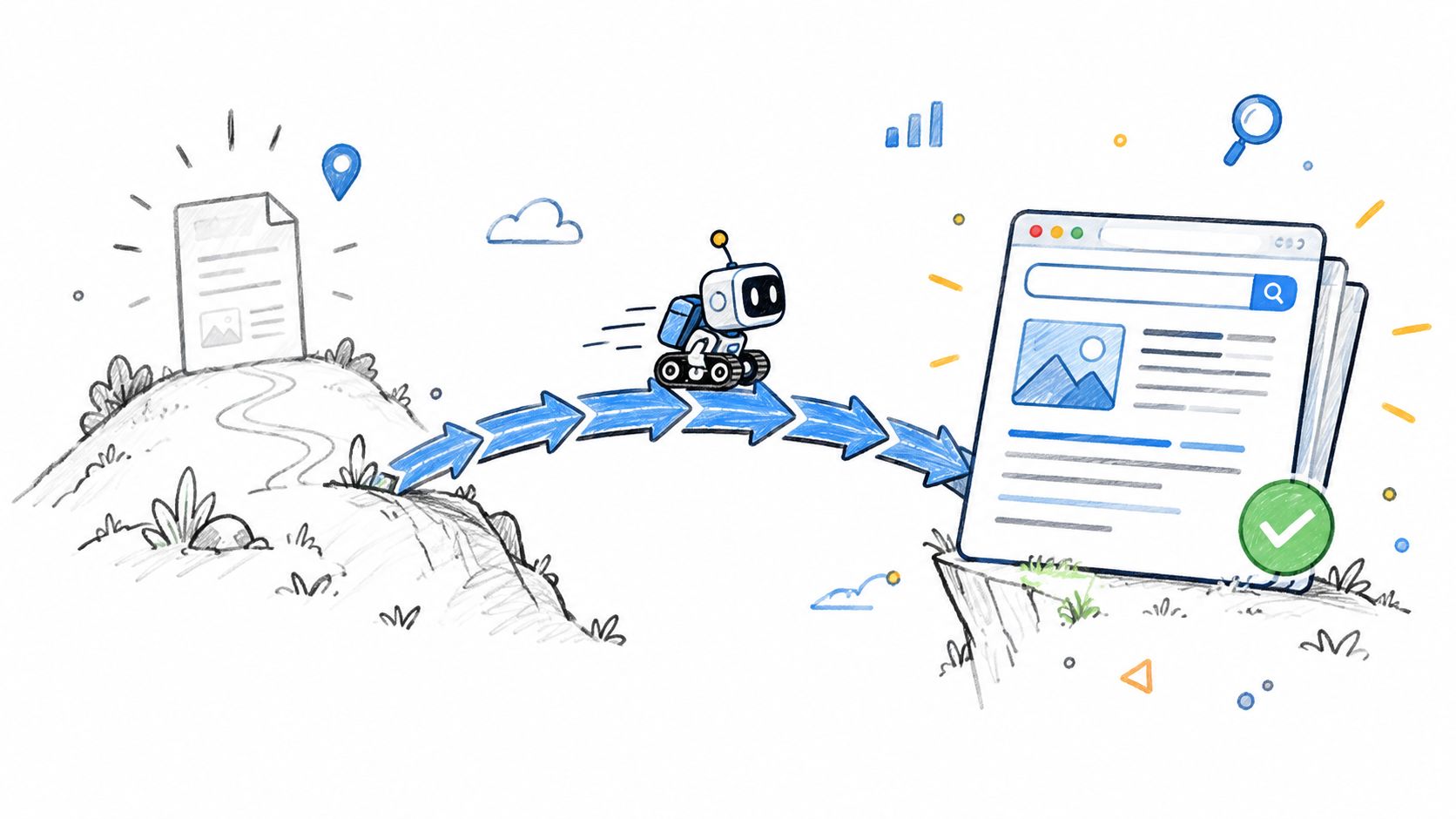
Compare the routes before spending money
Indexing tactics compared on effect and effort
| Tactic | Effect on discovery | Effort | Main caveat |
|---|---|---|---|
| Sitemap submission in Search Console | Lists canonical URLs for Google to consider | Low | Doesn't guarantee indexing |
| URL Inspection request on one page | Requests crawling of an individual URL | Low | Repeated requests add no benefit |
| Internal links from homepage or hub pages | Creates a direct crawl path to new pages | Low to medium | Footer-only placement provides limited context |
| Backlinks from relevant, indexed sites | Adds discovery paths and potential authority signals | Medium to high | Relevance matters more than volume |
| Directory listings with do-follow links | Adds a path from a directory page Google can crawl | Low | Thin or unindexed directories add little; paid links require appropriate qualification |
| Social posts and newsletters | Reaches visitors who may reference the page | Low | Traffic spikes don't guarantee indexing |
| Sitemap ping URL | Not a dependable submission method | None | Use Search Console instead |
Publish first, verify the destination, then distribute it. Prioritise a relevant community resource, integration partner, or editorial mention over a burst of unrelated listings. For practical outreach choices, use the guidance on backlinks for a new website.
When evaluating a directory, inspect the actual category and listing pages, not just the homepage. Check relevance, whether those pages appear indexed, and how outbound links are implemented. A nofollow or sponsored link can still bring useful visitors; paying specifically for unqualified ranking credit creates an avoidable search-policy risk.
Keyword Kick's list of backlink building sites can provide candidates to investigate, not automatic endorsements. Assess each placement on its own merits.
Use this walkthrough alongside your own Search Console inspection:
A useful launch mention reaches people who might actually need the product. That's a better purchasing criterion than a promise of instant Google indexing.
Set a 30-Day Indexing Check Routine
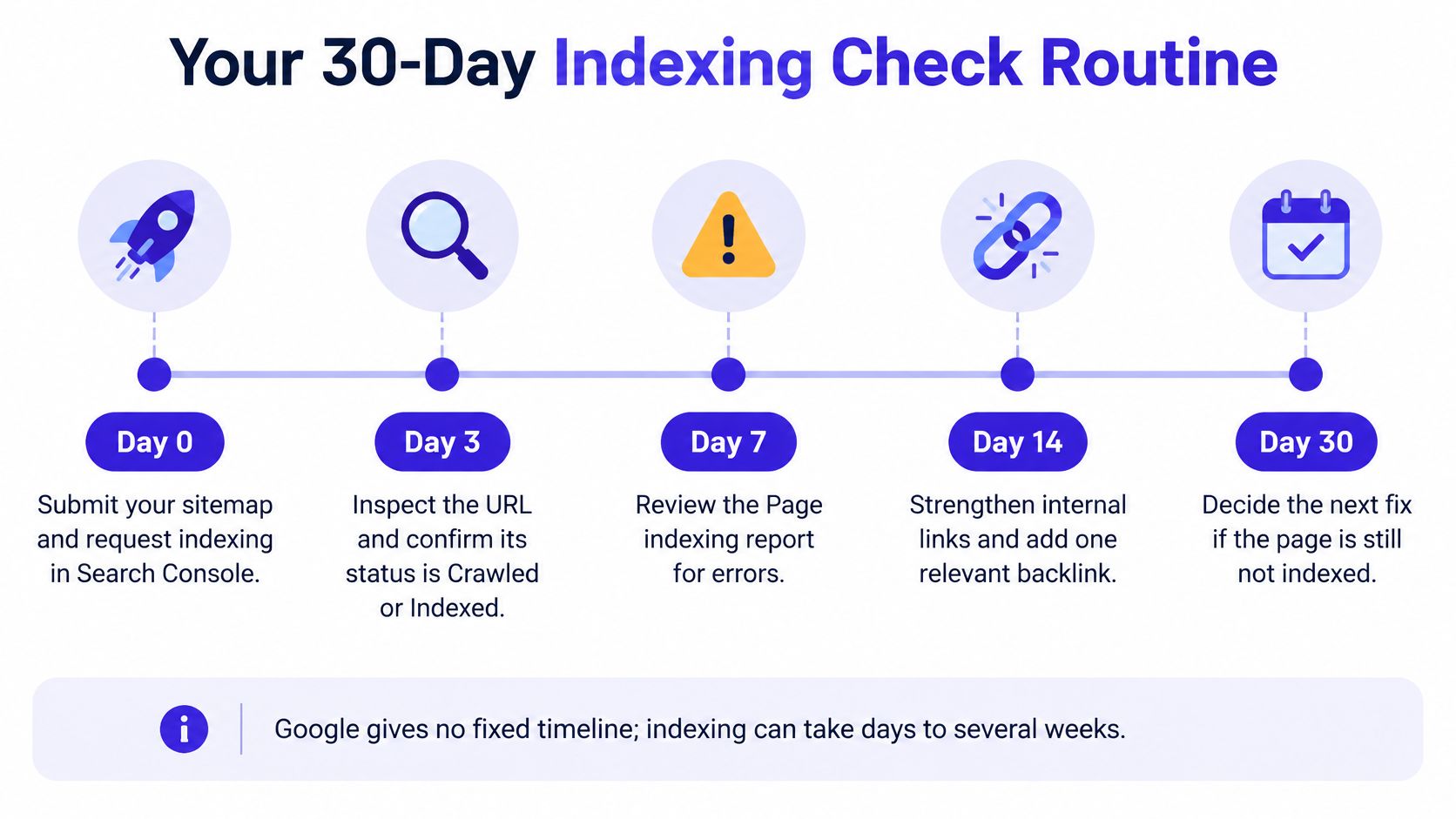
Use checkpoints rather than a deadline Google hasn't promised. Google's introductory SEO guidance makes clear that technical eligibility doesn't guarantee crawling, indexing, or serving.
Review progress on a fixed schedule
- Day 0: Publish, finish the health checks, and submit the sitemap.
- Day 3: Check sitemap fetching and inspect priority URLs.
- Day 7: Diagnose discovered and crawled exclusions.
- Day 14: Decide which pages need substantive changes or consolidation.
- Day 30: Measure the indexed share of intended canonical URLs and group exclusions by cause.
These are working appointments, not expected completion times.
A 2025 analysis of 16 million pages found that 37.08% were indexed, according to IndexCheckr. That broad sample isn't a target for your launch; judge your important pages individually.
For your first week:
- Pick your most important URLs.
- Confirm each passes the health checks.
- Add relevant internal links from indexed pages where available.
- Request indexing once per priority page.
- Log each page's status at the weekly review.
A page Google has crawled but not indexed needs a better page or a corrected signal, not another submission.
IndieTool offers a directory and distribution platform for indie apps and startups, alongside utilities for launch preparation. If you're ready to give a technically sound product page another relevant discovery route, visit IndieTool and assess whether its audience fits your launch.