Kling 4.0
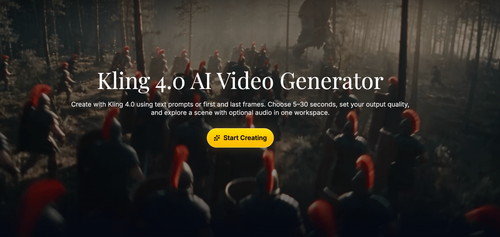
Kling 4.0 AI Video Generator
Kling 4.0 is an AI video generator that turns written prompts or starting images into short clips, with optional ending frames to guide the final composition. Designed for creators exploring product reveals, social content, and story concepts, its workspace combines 5–30-second duration settings, resolution choices, optional audio, and saved generations to help users develop visual ideas before committing to production.
Indie founders, solo creators, and small marketing teams exploring short product reveals, social video hooks, and campaign concepts from text or existing images.
Kling 4.0 gives founders a practical way to explore product shots and short-form video concepts before committing to production. Treat its output as material to review and refine, especially when accurate branding or product details matter.
Kling 4.0
Thursday, November 12, 2026
- Text-to-video generation with prompts for subjects, actions, lighting, and camera movement.
- Image-to-video creation with a starting image and optional ending frame.
- Selectable 5–30-second durations and resolution options up to 4K, subject to plan requirements.
- Optional audio generation for dialogue, atmosphere, and scene sounds.
- Pre-generation credit estimates, output previews, saved generation history, and clip downloads.
- Supports text prompts and starting images, with optional end frames for more deliberate visual direction.
- Combines duration, resolution, optional audio, previews, and generation history in one workspace.
- Shows estimated credit usage before generation, helping users assess the cost of creative iterations.
- Higher-resolution output uses more credits, and 4K requires an annual plan.
- Generated clips need review for label accuracy, proportions, branding, and alignment with the intended scene.
Start by choosing text-to-video or image-to-video, then write a focused brief covering your subject, action, setting, lighting, and camera movement; for image-based clips, upload a clear starting image and optionally add a final frame to guide the ending. Select a duration from 5–30 seconds, choose an available resolution and output format, decide whether to enable audio, and check the displayed credit estimate before generating. Preview the result, inspect product details and any generated sound, then adjust one variable at a time, download useful clips, and revisit previous generations in My Creations.
What stands out to us about Kling 4.0 is its focus on turning a specific visual idea into a clip you can evaluate, rather than treating video generation as a one-click finish line. Founders can start with a product image or written brief, describe camera movement and lighting, and use an optional end frame to guide where the shot lands. Duration, resolution, and audio controls support different creative goals without leaving the workspace. For indie builders, the practical appeal is exploring launch visuals, social hooks, and campaign directions before investing in a full shoot. We also appreciate the visible credit estimate and generation history. The trade-offs matter: higher resolutions consume more credits, 4K requires an annual plan, and generated details still need careful review.
Real performance numbers in the last 30 days
Questions
Can I create Kling 4.0 videos from both text and images?
Yes. You can describe a scene with a text prompt or upload a starting image and explain what should move. For image-based generation, an optional ending frame helps guide the final composition. The workspace lists PNG, JPG, JPEG, and WEBP as supported image formats.
What video lengths and resolutions does Kling 4.0 support?
The workspace advertises video durations from 5–30 seconds and resolution options including 720p, 1080p, and 4K. Higher resolutions use more credits, and 4K output requires an annual plan. Check the available settings and displayed credit estimate before generating.
Can Kling 4.0 generate audio with my video?
Yes. The workspace includes an optional audio control. Enable it and describe the dialogue, atmosphere, or audible events you want alongside the visual action. You can also generate a silent clip for an existing soundtrack; review generated sound and picture together before downloading.
Related Ai
View all Ready SVGAI SVG maker from text or images for laser, cut, and everyday design
 Panel FontManga Translator - Translate Manga Image Free & No Sign Up
 FusilladeAI-powered firearm evidence management for law enforcement.
 VidsemblyTurn Presentations and Documents Into Professional AI Videos
 Morph3DAI 3D model generator that turns text or images into downloadable 3D models
 Ascendant FinancialInfinite Banking advisors for families and business owners