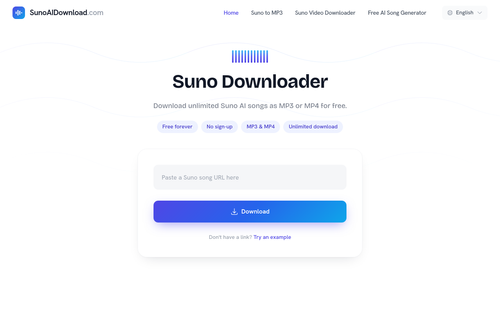
Suno Downloader offers a straightforward solution for downloading Suno AI songs as MP3 or MP4 without requiring any sign-up, making it ideal for users seeking quick offline access to audio and video content. By pasting a Suno share link, users can easily convert and download their desired tracks.
Key Advantages
- ✓No account or sign-up required for downloads.
- ✓Supports both MP3 and MP4 formats for versatile use.
- ✓Compatible with a wide range of devices and browsers.
Trade-offs & Considerations
- •Dependent on the quality of the original Suno source file.
- •Limited to downloading public Suno AI songs only.
What is Suno Downloader?
Suno Downloader is a powerful tool that allows users to download unlimited songs from Suno AI as MP3 or MP4 files without any sign-up requirement. By simply pasting a share link from Suno, users can quickly convert and download their favorite tracks in seconds, making it easy to enjoy high-quality audio and video content on the go.
Key Features & Highlights
5 FeaturesCore capabilities and advantages of using Suno Downloader for your workflow:
How to use Suno Downloader
Using Suno Downloader is a breeze! First, visit the Suno platform and find the song you wish to download. Once you have the share link for that song, open the Suno Downloader app. Paste the link into the designated input field, then select your preferred format—MP3 for audio or MP4 for video. Click the download button, and within moments, your file will be ready to save. It’s that simple! With no sign-up needed, you can start downloading right away and enhance your projects effortlessly.
About Suno Downloader
As a curator, I'm genuinely excited about Suno Downloader because it addresses a common pain point for creators and music enthusiasts alike: accessibility. In a world where audio content is often restricted, this tool empowers users to freely download and enjoy Suno AI's innovative songs. Imagine the possibilities for indie founders—whether you're creating a podcast, a video, or simply want to curate a unique playlist, having the ability to download and convert songs effortlessly can elevate your projects. This app not only saves time but also enhances your creative freedom, making it a must-have resource for any startup founder looking to leverage audio in their work.
Real performance numbers in the last 30 days
Frequently Asked Questions
Common questions about Suno Downloader, features, and launch details.
Q:How do I download a Suno song to MP3 or MP4?
Visit Suno and open the public song you want to save, copy the share link, paste it into the download box, and choose either MP3 or MP4 to download.
Q:Is Suno music downloader free to use?
Yes, the downloader is free to use with no subscription or account registration required.
Q:What file formats does Suno AI Download support?
Suno AI Download supports MP3 for audio playback and MP4 for video playback with visuals.
Related Ai Apps
View All →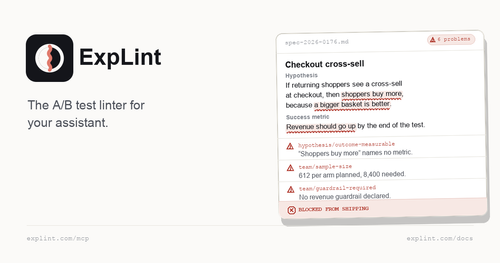
explint.com
explint.com — the A/B test linter for your assistant
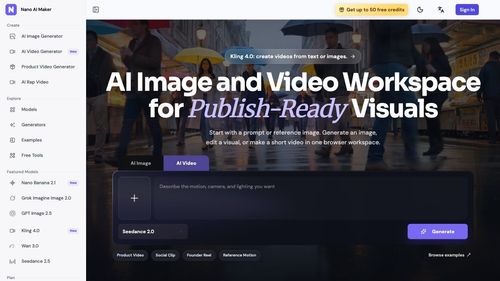
Nano AI Maker
AI Image and Video Workspace for Publish-Ready Visuals
.jpg)
GTA 6 Cheat Codes
List Of Cheat Codes For Grand Theft Auto 6

Free App Logo
Create a professional app logo and every brand asset you need, completely free.

Flux 3
Flux 3 — Multimodal AI by Black Forest Labs | Real World Models

DrawPic Edit Text in Image
Box any text in an image and replace it
Featured Startups
Submit App →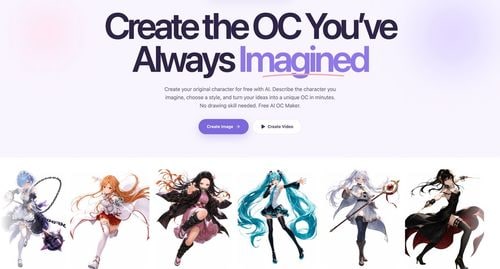
Try OC Maker
AI OC Maker for Anime & Original Characters | Try OC Maker

AI Jewelry Model
AI Jewelry Model – Show Your Jewelry on Models

screenRIG
Signage and kiosks your AI agent builds and runs

Influence
Plan, write and schedule your social media posts.
The Audio Stuff
Honest Hi-Fi Gear Reviews Built on Real Listening

DunCrux
Offline First Auto Prioritizing todo list