 Indietool
Silentcut
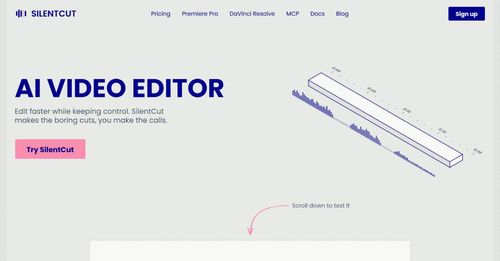
SilentCut makes the boring cuts, you make the calls.
SilentCut is an AI-driven video editing plugin that automates the tedious task of cutting silences, filler words, and poor takes in your video projects. It empowers creators to streamline their editing process while maintaining full control over the final output.
Content creators, indie filmmakers, and podcasters looking to streamline their video editing process.
SilentCut redefines video editing by combining AI efficiency with user control, perfect for busy creators needing faster turnaround times.
James Tremblay
Monday, October 5, 2026
- Silence Removal for effective pacing
- Speech Cleanup to enhance audio quality
- Best-Take Selector for optimal performance
- Seamless integration with editing software
- User-friendly interface for quick learning
- Automates tedious video editing tasks, saving time.
- Integrates seamlessly with popular editing software.
- Offers user control over final edits for quality assurance.
- May require a learning curve for new users.
- Limited to specific use cases, mainly talking content.
To get started with SilentCut, simply install the plugin for your preferred editing software, Premiere Pro or DaVinci Resolve. Upload your video file, and let the AI analyze it—removing silences and filler words automatically. Review the edits in the timeline, make any necessary adjustments, and export your polished video in just a few clicks.
SilentCut is a game-changer for indie founders and content creators who value efficiency without sacrificing quality. By leveraging advanced AI technology, it tackles the laborious task of video editing, allowing users to focus on the creative aspects of their projects. With seamless integration into popular editing software like Premiere Pro and DaVinci Resolve, SilentCut offers a unique blend of automation and control, making it a must-have tool for anyone looking to enhance their video production workflow.
Real performance numbers in the last 30 days
Questions
How does SilentCut improve my video editing process?
SilentCut automates the removal of silences and filler words, allowing you to focus on creative decisions and speeding up your editing workflow.
Is SilentCut suitable for all types of video content?
While SilentCut excels with talking content like interviews and podcasts, it may not be as effective for highly visual or scripted videos.
What editing software is compatible with SilentCut?
SilentCut is compatible with Adobe Premiere Pro and DaVinci Resolve, and also offers a web-based version for easy access.
Best Silentcut Alternatives & Similar Ai Tools (2026)
View all| Tool | Category | Summary / Best For | Pricing | Profile |
|---|---|---|---|---|
| Silentcut (Current) | Ai | SilentCut is an AI-driven video editing plugin that automates the tedious task of cutting silences, filler words, and poor takes in your video projects. It empowers creators to streamline their editing process while maintaining full control over the final output. | See site | — |
| Muvio | Ai | Muvio — AI Music Video & Music Creation Platform | See site | View |
| ProductsFarm | Seo | ProductsFarm: Launch your product, get upvotes and backlinks | See site | View |
| MenuCapture | Design | Edit your menu photos with text | See site | View |
| xpaiming | Marketing | Free daily leaderboards for X (Twitter) accounts and tweets | See site | View |
| Easy Save AI | Marketing | Easy Save AI — Discover This Week's Launches & Top Products | See site | View |
| Design.com AI Logo Generator | Design | Create Professional Logos with AI in Seconds | See site | View |
 MuvioMuvio — AI Music Video & Music Creation Platform
 ProductsFarmProductsFarm: Launch your product, get upvotes and backlinks
 MenuCaptureEdit your menu photos with text
 xpaimingFree daily leaderboards for X (Twitter) accounts and tweets
 Easy Save AIEasy Save AI — Discover This Week's Launches & Top Products
 Design.com AI Logo GeneratorCreate Professional Logos with AI in Seconds