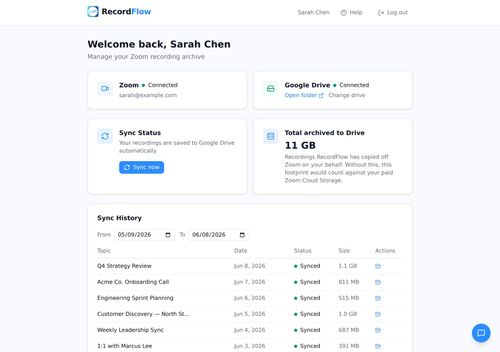
Never lose a Zoom recording again
RecordFlow offers a straightforward solution for automatically backing up Zoom recordings to Google Drive, alleviating the hassle of manual downloads and potential data loss. Its simple setup and optional auto-deletion feature make it a valuable tool for managing cloud storage efficiently.
Key Advantages
- ✓Automatic backup of Zoom recordings to Google Drive, reducing manual effort.
- ✓Optional auto-delete feature helps manage Zoom storage effectively.
- ✓Supports multiple cloud storage options like OneDrive and Dropbox.
Trade-offs & Considerations
- •Currently, full functionality is primarily available with Google Drive; other services are in early access.
- •Requires initial setup as a Zoom admin for team-wide use.
What is RecordFlow?
RecordFlow is an innovative tool designed to automatically back up your Zoom cloud recordings to Google Drive. With its effortless setup, you can ensure that your valuable recordings are safely stored, while also freeing up space in your Zoom account through optional auto-deletion. Say goodbye to the stress of losing important meetings and webinars!
Key Features & Highlights
5 FeaturesCore capabilities and advantages of using RecordFlow for your workflow:
How to use RecordFlow
Using RecordFlow is incredibly straightforward. First, sign up for an account on the RecordFlow website. Next, integrate your Zoom and Google Drive accounts by following the simple prompts. Once connected, customize your backup settings, including whether you want to enable auto-deletion of old recordings from Zoom. Finally, sit back and relax—RecordFlow will automatically back up your future Zoom recordings to Google Drive, ensuring that you never lose an important meeting again!
About RecordFlow
RecordFlow stands out as a must-have tool for solo founders and indie hackers who rely on Zoom for their business communications. We all know how frustrating it can be to sift through endless Zoom recordings or, worse, to lose an important one altogether. RecordFlow solves this problem by seamlessly backing up your recordings to Google Drive, giving you peace of mind and making it easier to organize your content. With a simple setup that takes only a minute, you can focus on what really matters—growing your startup. This tool not only saves time but also optimizes your Zoom storage, making it a game-changer for those who conduct regular virtual meetings.
Real performance numbers in the last 30 days
Frequently Asked Questions
Common questions about RecordFlow, features, and launch details.
Q:Is RecordFlow secure?
Yes, RecordFlow uses encryption for data in transit and at rest, and we never store your recordings on our servers.
Q:Can I use RecordFlow for multiple Zoom accounts?
Yes, RecordFlow can be set up to archive recordings from multiple Zoom accounts, especially for Zoom administrators managing team accounts.
Q:What happens if I reach my Zoom storage limit?
RecordFlow can automatically delete recordings from Zoom once they are safely backed up to Google Drive, preventing you from hitting storage limits.
Related Productivity Apps
View All →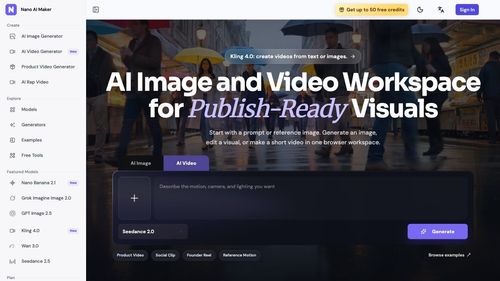
Nano AI Maker
AI Image and Video Workspace for Publish-Ready Visuals
.jpg)
GTA 6 Cheat Codes
List Of Cheat Codes For Grand Theft Auto 6

Free App Logo
Create a professional app logo and every brand asset you need, completely free.

Flux 3
Flux 3 — Multimodal AI by Black Forest Labs | Real World Models

DrawPic Edit Text in Image
Box any text in an image and replace it
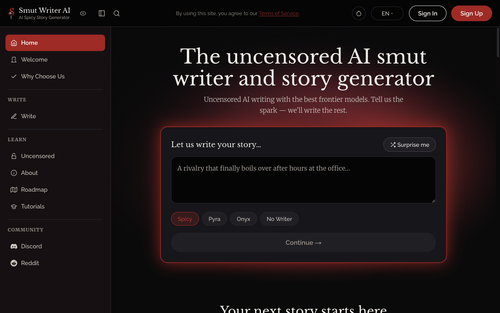
Smut Writer AI
Completely uncensored AI smut writer and story generator
Featured Startups
Submit App →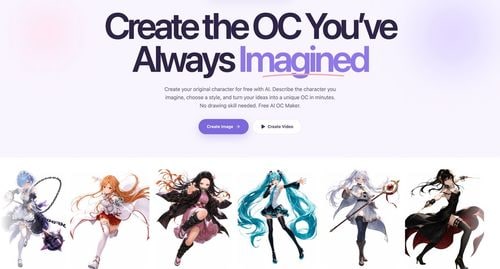
Try OC Maker
AI OC Maker for Anime & Original Characters | Try OC Maker

AI Jewelry Model
AI Jewelry Model – Show Your Jewelry on Models

screenRIG
Signage and kiosks your AI agent builds and runs

Influence
Plan, write and schedule your social media posts.
The Audio Stuff
Honest Hi-Fi Gear Reviews Built on Real Listening

DunCrux
Offline First Auto Prioritizing todo list