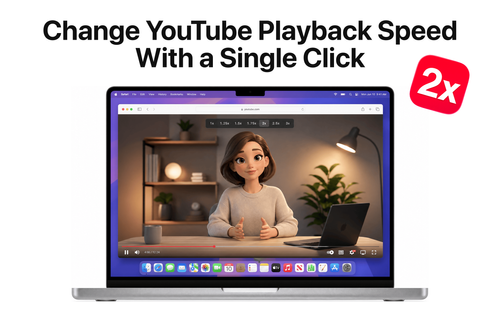
Hover Speed
ProductivityDR 0.1Hover Speed
Hover Speed is a straightforward browser extension that simplifies adjusting YouTube video playback speeds, enhancing user control over video consumption. It offers a quick, one-click solution for those seeking more personalized viewing experiences.
Key Advantages
- ✓Easy one-click speed adjustment
- ✓Enhances video consumption flexibility
Trade-offs & Considerations
- •Limited to YouTube videos
- •Requires a compatible browser for installation
What is Hover Speed?
Hover Speed is a user-friendly browser extension that allows you to change the playback speed of YouTube videos with just a single click. Whether you want to speed through tutorials or savor a podcast, this tool makes video consumption effortless and tailored to your needs.
Key Features & Highlights
4 FeaturesCore capabilities and advantages of using Hover Speed for your workflow:
How to use Hover Speed
Using Hover Speed is a breeze! First, install the Hover Speed browser extension from the Chrome Web Store or your preferred browser's extension store. Once installed, simply navigate to any YouTube video. You’ll see an icon that lets you select your desired playback speed with a single click. Choose your speed and watch as your video adapts instantly. It's that simple! Whether you’re multitasking or focusing deeply, Hover Speed ensures your viewing experience is perfectly tailored to your pace.
About Hover Speed
As a founder, time is your most precious resource, and Hover Speed recognizes that. By enabling you to adjust YouTube playback speed instantly, it helps you consume content more efficiently, making it easier to stay informed and inspired without wasting time. This app is particularly exciting because it addresses the common challenge of managing video content overload. In a world where every second counts, Hover Speed empowers you to take control of your viewing experience. Plus, it’s incredibly easy to install, making it an essential tool for every entrepreneur looking to maximize productivity and learning.
Real performance numbers in the last 30 days
Frequently Asked Questions
Common questions about Hover Speed, features, and launch details.
Q:Is Hover Speed available for other platforms?
Currently, Hover Speed is only available on the Mac App Store for macOS users.
Q:How do I download Hover Speed?
You can download Hover Speed directly from the Mac App Store by searching for its name and clicking the download button.
Q:Can I customize playback speeds?
Yes, Hover Speed allows you to select from multiple playback speeds to suit your viewing preferences.
Related Productivity Apps
View All →
MixVio AI
AI Video, Image & Audio Generator Online | MixVio

ToneBird.ai
Your Socially Fluent AI Reply Assistant | ToneBird
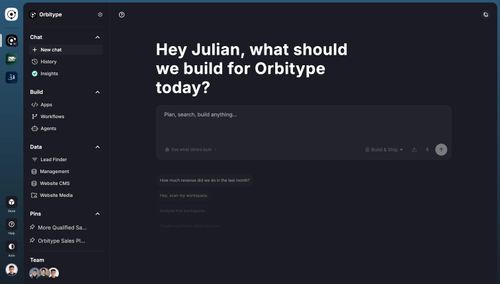
Orbitype
Install complete GTM systems that turn shared data, AI agents, and workflows into revenue.

PodcastorAI
AI Podcast Generator: Turn Any Content Into a Podcast | PodcastorAI

Meta Image
Meta Muse Image — Edit & Generate Online | Meta Image

Presentation Intelligence
Next-Gen Presentation. Agent-Native Creation.
Featured Banner for Hover Speed Productivity Tool (1080x75)