Veo 4
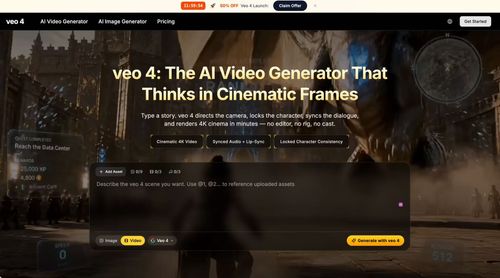
AiDR 17veo 4:The AI Video Generator That Thinks in Cinematic Frames
Veo 4 transforms text prompts and images into cinematic videos with realistic motion and high-quality visuals, offering an efficient solution for creators needing quick video generation without the traditional production hassle. Its comprehensive feature set, including synced audio and character consistency, makes it a robust tool for video content creators.
Key Advantages
- ✓Generates 4K cinematic videos with synced audio and lip-sync.
- ✓Offers advanced directing features like camera language and character consistency.
- ✓Fast rendering speeds, significantly quicker than previous versions.
Trade-offs & Considerations
- •Focused on cinematic video generation rather than a full video editing suite.
- •May require a learning curve to master advanced features like camera control and storyboarding.
What is Veo 4 ?
Veo 4 is an innovative AI video generator that seamlessly converts text prompts and images into cinematic-quality videos. With its advanced algorithms, it creates realistic motion and visuals, ensuring fast rendering without compromising on quality.
Key Features & Highlights
5 FeaturesCore capabilities and advantages of using Veo 4 for your workflow:
How to use Veo 4
Getting started with Veo 4 is simple and intuitive. First, sign up for an account on the Veo 4 website. Next, input your text prompt or upload images you want to use in your video. The AI will analyze your input and generate a video based on your specifications. You can customize scenes, adjust settings, and preview your creation in real-time. Once satisfied, render your video and download it for immediate use. It's that easy to create professional-grade videos that captivate your audience!
About Veo 4
Veo 4 stands out as a game-changer in the video creation landscape, addressing the common pain point of time-consuming video production. For startup founders, this tool offers an exciting opportunity to elevate marketing efforts, create engaging content, and communicate ideas effectively without the need for extensive video editing skills. By harnessing the power of AI, Veo 4 empowers creators to produce stunning videos that resonate with audiences, making it an essential asset for anyone looking to amplify their brand's presence in a competitive market. Its fast rendering capabilities mean you can keep up with the rapid pace of today's digital world.
Real performance numbers in the last 30 days
Frequently Asked Questions
Common questions about Veo 4 , features, and launch details.
Q:What types of videos can I create with Veo 4?
With Veo 4, you can create a variety of videos, including narrative films, promotional content, and social media clips, all in stunning 4K resolution.
Q:Can I edit my videos after generating them?
Yes, Veo 4 includes a director's overlay editor that allows you to adjust camera paths and motion intensity without needing to fully regenerate your video.
Q:Is there a limit on the video length I can create?
Currently, Veo 4 supports video generation up to 30 seconds, with potential for one-minute clips in the future.
Related Ai Apps
View All →
ToneBird.ai
Your Socially Fluent AI Reply Assistant | ToneBird
Orbitype
Install complete GTM systems that turn shared data, AI agents, and workflows into revenue.
PodcastorAI
AI Podcast Generator: Turn Any Content Into a Podcast | PodcastorAI

Meta Image
Meta Muse Image — Edit & Generate Online | Meta Image

Presentation Intelligence
Next-Gen Presentation. Agent-Native Creation.
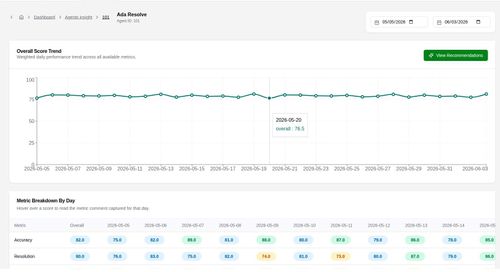
Agent Insight
Agent evaluation on the standards you define.
Featured Banner for Veo 4 Ai Tool (1080x75)