Indietool
Submission Guidelines for IndieTool: Step-by-Step Guide
You've got the product open in one tab and the submission form in another. The description looks ready, but the image won't upload, the domain returns an error, or the form accepts everything without making it clear whether your listing is live.
Good submission guidelines help you resolve those problems before you start clicking Submit again. The useful distinction is between a submission that passes validation and a listing that someone can open, understand, and evaluate. Prepare for both.
Table of Contents
- Assets and Field Limits to Prepare First
- How to Submit Your Product Step by Step
- Submitting Through the API
- Handling Unfinished or Region-Limited Products
- Writing AI Disclosures and Claims Reviewers Trust
- Common Errors and How to Fix Them
- Submit Your Product and Confirm It Is Live
Assets and Field Limits to Prepare First
Keep your submission assets in a plain text file before opening the form. That gives you a reliable copy to edit, count, and reuse without losing work if a browser session expires.
Required fields and limits before submitting
| Field | Requirement | Notes |
|---|---|---|
| Landing page heading | 3 to 150 characters | Required; state what the product does |
| Landing page subheading | 5 to 500 characters | Required; use it for the one-line benefit |
| App image | PNG, JPG or WebP, under 5MB | Upload directly, or send a remote image URL via the API |
| Product domain | Valid address that loads publicly | Open it in a browser and confirm HTTPS before you submit |
| Category | One of the directory groups | Pick the closest match, such as AI, SEO, Design, Productivity, Marketing or Fintech |
| Contact email | An address you can answer | Needed so a validation or listing question can reach you |
Write the heading around the product's job, not a slogan. A booking tool for independent tutors tells a visitor more than a promise to transform their business. Use the subheading for the benefit that follows from that job, rather than repeating the heading with different adjectives.
Prepare the values before entering them
- Collect the identity fields. Save the product name, destination URL, category, description, and contact email together.
- Test public access. Open the domain in a private browser window and confirm HTTPS works. A page that loads only because you're signed in isn't ready for an outside visitor.
- Count the copy. Check both text ranges with your editor's character counter, including spaces.
- Inspect the image. Confirm its format and file size, then view it at a small size to check whether the product remains recognizable.
- Preserve your valid entries. Correct errors beside the affected field rather than rewriting unrelated values. Keep your local copy until publication is confirmed.
- Assemble a preview. Review the heading, destination, category, backlink target, and image as a single listing.
Don't infer requirements from an asterisk alone. In Baymard's form-usability benchmark, 94% of audited sites failed to consistently identify required and optional fields, and 60% omitted formatting examples or input masks for multi-format fields.
For the wider launch work, use the startup launch checklist to keep submission assets alongside your other release tasks. Stop preparing when the required values are complete and a stranger can reach the destination.
How to Submit Your Product Step by Step
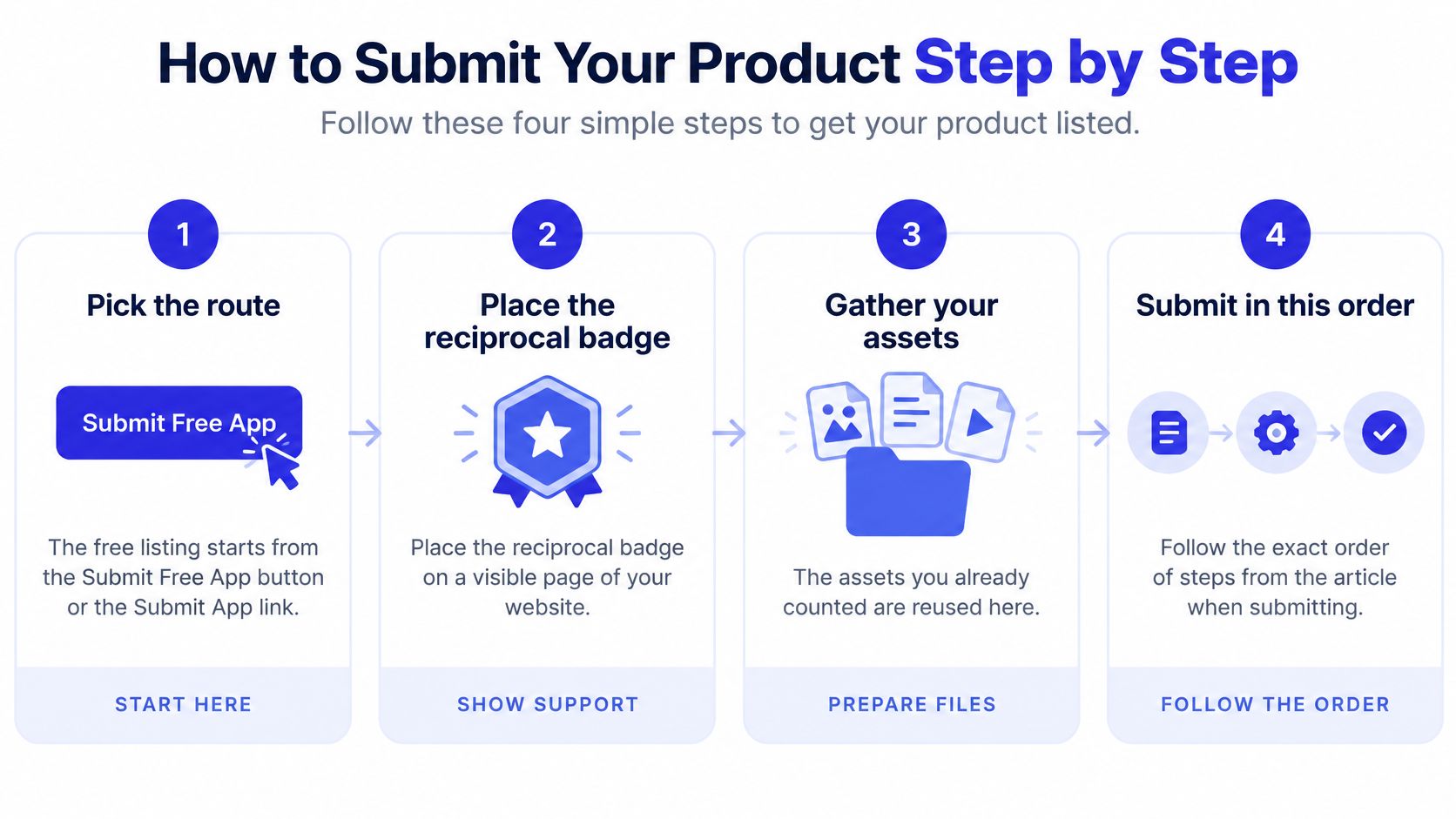
Choose the submission route before entering your copy. The operational difference is whether activation depends on reciprocal-badge verification, not whether you've written a longer description.
The flow below helps keep route selection separate from asset entry.
Enter the listing in order
- Pick the route. Start a free listing through our Submit Free App button, or use the Submit App link to begin the submission process. For the free route, place the reciprocal badge on a public page before submitting. Verification and activation happen after the badge is validated. Paid submissions use instant automated indexing and go live in under 60 seconds.
- Paste the heading and subheading. Watch the counters as you enter them. If the form cuts a sentence, shorten it deliberately rather than accepting a fragment.
- Choose the closest category. Classify the product by its primary job. An AI-powered SEO tool may serve SEO buyers more clearly in SEO than in a broad AI group.
- Add the app image. Select the final export, not a working file or an outdated screenshot with a different product name.
- Enter the product domain. Use the page you want visitors to reach. Avoid sending people to a generic company homepage when the submitted product has a dedicated landing page.
- Preview the complete listing. Read the copy beside the image and category. Check that any beta status, access restriction, AI disclosure, or performance claim is visible before publication.
- Submit once. Read the confirmation before navigating away, then check whether a listing was created before trying again.
Practical rule: Treat the preview as a visitor's first encounter with your product, not as a final spelling check.
A directory submission doesn't replace distribution through other relevant platforms. Use the best startup directories guide to choose destinations that match your audience rather than copying the same listing everywhere.
If your launch also includes an Expo mobile app, LetsDeployIt's App Store submission guidance for Expo developers is a useful companion for that separate publishing workflow. Keep the mobile-store requirements distinct from the directory listing so you don't confuse store-review preparation with directory validation.
Submitting Through the API
Send submissions to POST the app submission endpoint. Our API accepts JSON with a remote image URL or multipart/form-data with a direct file upload.
Choose the format based on where the image lives. JSON is convenient when your publishing workflow already stores a publicly accessible image; multipart avoids an additional hosting step when the asset exists as a local file.
Match the payload to your asset workflow
| Format | Use it when | Check before sending |
|---|---|---|
| JSON | Your image is available at a remote URL | The image can be fetched without a login |
| multipart/form-data | You're uploading the image file directly | The file is the intended final asset |
Send the same heading, subheading, domain, and image you prepared for the form. Use the API's documented field names rather than inventing keys from the labels displayed in the interface.
Test a single submission before automating a batch. Read the response body as well as the status code, then confirm the resulting listing. A successful HTTP response shouldn't be your only evidence that the published content matches your source file.
For a studio managing several launches, keep a validated payload template and replace only the product-specific values. Don't carry a previous client's domain, image URL, or copy into the next request.
Keep retries deliberate
- Record the domain. Log what you sent so your script doesn't resubmit a product that already exists.
- Save the outcome. Retain the response status and any returned listing reference for troubleshooting.
- Separate failed requests. Review validation and conflict responses instead of repeatedly retrying unchanged payloads.
- Check uncertain outcomes. If a connection drops after submission, inspect the dashboard before sending the request again.
Automation saves repetitive entry, but it also repeats mistakes consistently. Validate the template against a real published listing before letting a script process the rest of your launch queue.
Handling Unfinished or Region-Limited Products
A product doesn't need every planned feature to be understandable. It does need enough substance for visitors to tell what exists, what they can access, and what's still a promise.
Technical acceptance isn't proof of completeness. NIH guidance on application completeness illustrates the distinction: an application can pass system validations and still be withdrawn for placeholder attachments or substantive omissions. That's not a directory eligibility rule, but it's a useful warning against treating filled fields as finished evidence.
Provide something a visitor can evaluate
- Working destination. Supply an accessible product page or demo, not a broken route or an empty holding page.
- Stable description. Explain the core job the product performs today.
- Accountable contact. Make ownership or contact details available so questions can reach someone responsible.
- Honest status. Use beta, private beta, waitlist, or pre-launch where appropriate, without implying that the label guarantees eligibility.
For a private beta, say who can get access and whether applications are open. For a regional launch, name the countries served and make the restriction visible before someone attempts signup.
Describe the current product, not the roadmap
Say a bookkeeping app has launched for freelancers in a limited market while team accounts remain in development. Describe the available freelancer workflow; don't present team collaboration as an existing feature just because it's on the roadmap.
If pricing or screenshots are likely to change, build the description around the durable job rather than a temporary offer. Update the listing through the dashboard when access, positioning, or visuals change.
Submit when a visitor can reach meaningful evidence and understand the product's current state. Label what isn't live.
Publishing early can support discovery, but misleading availability creates frustration. Waiting for cosmetic polish isn't always necessary; waiting until the listing has something concrete to explain often is.
Writing AI Disclosures and Claims Reviewers Trust
Did AI change what users see or receive, or only how you built the product? That question produces a more useful disclosure than a broad statement that AI was used somewhere.
The distinction is illustrated in Production Alchemist's explanation of Steam's 2026 AI disclosure rules: Steam separates player-facing pre-generated content from live-generated content and excludes efficiency-only uses. Steam's policy isn't IndieTool's policy, but the distinction is useful when deciding what a product description should explain.
The decision flow makes that boundary easier to inspect.
Describe the user-facing use
Disclose generated content that customers interact with, such as chat responses, images, recommendations, or automated support answers. Assistive coding and copy editing generally belong in your internal development record unless the destination's rules explicitly require public disclosure.
A reusable disclosure can follow this pattern:
Suggested wording: This product uses AI to generate draft responses from user input. Users review and edit those drafts before using them.
Adapt the sentence to the actual workflow. Don't claim human review if responses reach customers automatically, and distinguish pre-generated assets from output created during use.
Keep an internal record of model names, versions, scope, and the person responsible for review. You don't need to publish confidential prompts or proprietary customer data to explain how the feature works.
The accompanying video provides another format for considering AI use and disclosure.
Make performance claims inspectable
- Measurement period. Say when the result was measured.
- Denominator. Distinguish paying customers from registrations, and conversions from visits.
- Evidence type. Label figures as observed, estimated, or self-reported.
- Attribution. Explain what supports the connection between the product and the result.
Replace unsupported best or guaranteed language with a verifiable capability. A clear account of what the product does is more useful than a ranking you can't substantiate.
Common Errors and How to Fix Them
Start with the returned code or visible symptom. Change the cause it identifies, not every field in the submission.
A 400 Bad Request concerns validation or address safety. A 409 Conflict concerns account credits or a domain slug that was already submitted. Neither response means that rewriting your marketing copy will solve the underlying problem.
Submission errors, causes and fixes
| Error or symptom | Likely cause | Fix |
|---|---|---|
| 400 Bad Request | A required field is missing | Check every required field against the asset table and resubmit |
| 400 Bad Request | The domain URL is invalid | Use a full, publicly reachable address and confirm it loads |
| 400 Bad Request | SSRF protection was triggered | Point the URL to a public site; internal or local addresses are blocked |
| 409 Conflict | The account has no credits | Add credits, then resubmit |
| 409 Conflict | The domain slug was already submitted | Update the existing listing from the dashboard instead of sending a duplicate |
| Uploads paused | The credit balance is at 0 | Add credits; uploads resume once the balance is above zero |
| Fields validate but listing stalls | Placeholder copy, hidden product, or missing free-route badge | Publish an evaluable page, an honest status, and the badge, then review approval rather than resending the same payload |
SSRF protection prevents the submission system from fetching internal or local destinations. Don't try alternate spellings of a private address to bypass it; publish an appropriate public page instead.
If adding credits fails because checkout declines the payment, separate that payment issue from the submission error. The payment decline insights from Spell provide useful context for investigating the payment failure rather than retrying the listing request.
Validation isn't approval
Administrative compliance and substantive evaluation are different checks. The Grants.gov submission instructions require applications to be fully uploaded and validated by 11:59:59 p.m. Eastern Time on the stated deadline date, otherwise they won't be accepted or reviewed; meeting those requirements still doesn't guarantee funding.
That deadline doesn't apply to directory submissions. The relevant lesson is that passing an entry check establishes readiness for assessment, not the quality of the material being assessed.
A directory listing needs a destination that matches its description, accessible evidence of the product, and claims that visitors can interpret. A valid URL pointing to placeholder copy doesn't meet that practical standard.
Recover without creating another problem
After fixing the named cause, check whether the original attempt created a listing. If it did, edit that record rather than starting another submission.
For an uncertain result, inspect the dashboard and confirmation details first. Repeatedly sending the same payload won't resolve a missing badge, inaccessible product, or duplicate-domain conflict, and it makes it harder to identify which attempt needs attention.
Submit Your Product and Confirm It Is Live
After acceptance, open the actual listing rather than relying solely on the success message. Compare it with your saved asset file.
Use the published page as your final check.
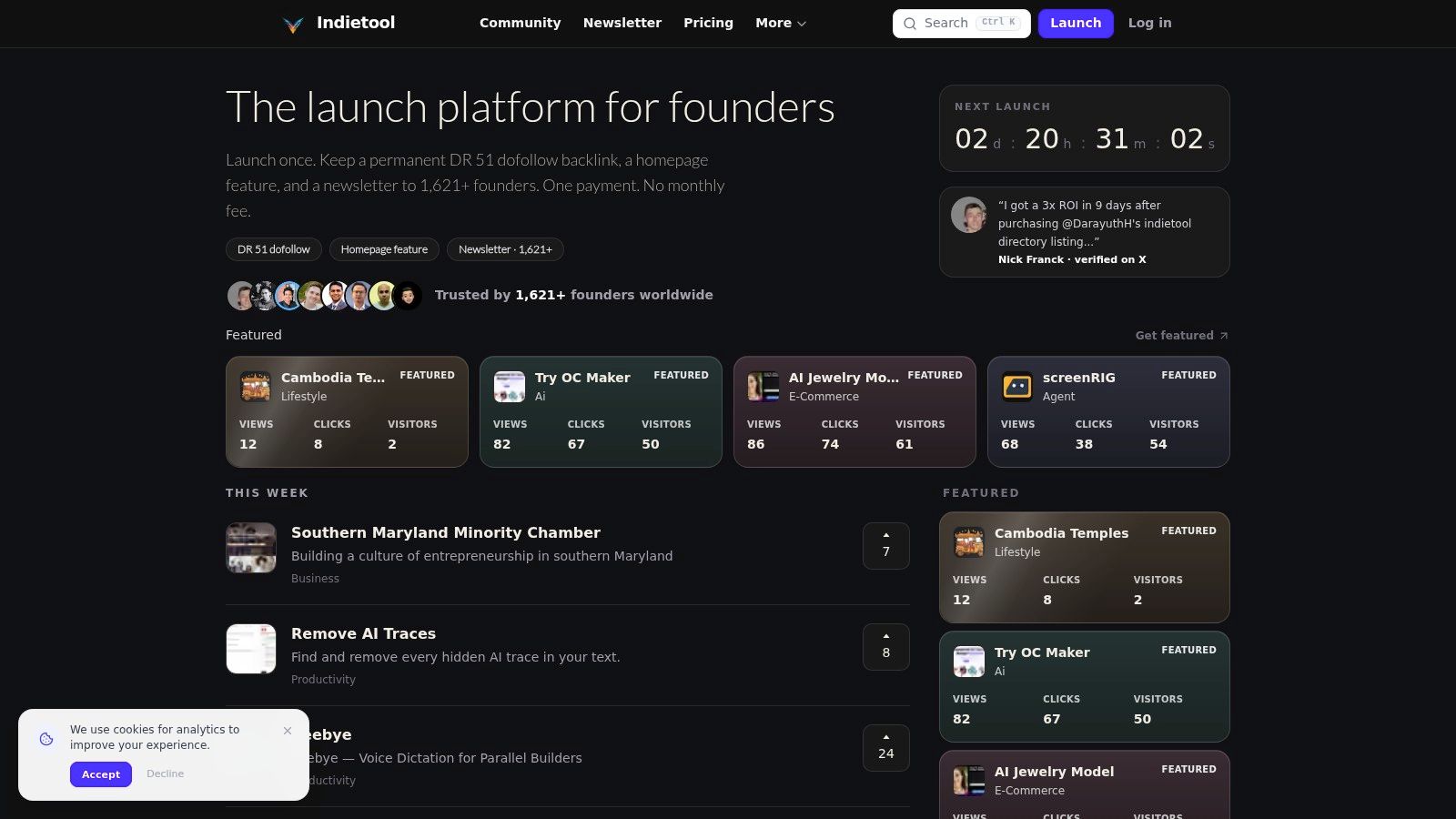
- Read the heading and subheading. Check for truncation or an unintended draft.
- Click the destination. Confirm it reaches the intended product page.
- Inspect category and image. Make sure both match your choices.
- Verify the free-route badge. Keep it public and allow validation rather than submitting again.
Our Standard listing includes one lifetime app submission, a permanent listing, and a do-follow backlink from indietool.io with DR 47, without a badge or reciprocal-link requirement. Read our Terms of use and Privacy policy before submitting or paying.
After a few days, review dashboard views and outbound clicks. Use those observations alongside your other distribution channels for marketing, without assuming a published listing guarantees traffic.
If nothing is live, use the error table to identify the cause. Resubmit only when the first attempt didn't create a listing; update an existing domain through the dashboard.
IndieTool offers a directory listing for your product and a founder dashboard for maintaining its details and reviewing engagement. Prepare your copy, image, and public destination, then visit IndieTool to submit a listing visitors can understand and use.