Indietool
How to Write an AI Product Description That Sells
Your screenshots are ready, the price is set, and the product description is still a rough list of features. You ask an AI tool to clean it up, get something surprisingly readable, and hover over Publish. Then you spot an integration you haven't built.
That's the risk with an AI product description: polished wording can make an unsupported promise look finished. Treat the listing as a claims problem first. Give the model a reliable product record, separate benefits from evidence, and test the approved copy instead of assuming fluent writing will sell.
Table of Contents
- Build a Fact Sheet the AI Can Trust
- How to Write the Prompt Step by Step
- Edit the Draft Into Final Copy
- Checking Every Claim Before You Publish
- Whether to Disclose AI Use on Your Listing
- How to A/B Test AI Copy Against Your Current Description
- When AI Copy Loses Engagement and How to Revert
- Publish Your First AI-Assisted Listing Today
Build a Fact Sheet the AI Can Trust
Say your invoicing tool's listing goes live claiming Zapier support. A buyer subscribes specifically for that connection, then discovers that your roadmap was mistaken for your current integration list. The fix starts before the prompt, with a fact sheet that distinguishes available features from plans.
AI-assisted descriptions are already common. In Liquid Web's survey of 623 online store owners, 47% of ecommerce businesses reported using AI-generated product descriptions. Adoption makes a repeatable input process useful, but it doesn't make generated specifications reliable.
Start with a plain product summary, its category, the primary buyer, and the task they want to complete. Add specifications from the product itself, not from an old launch announcement.
Record what exists today
For SaaS, include plan limits, supported integrations, data regions, and export formats. For physical products, record dimensions, materials, weight, compatibility, and documented certifications.
Copy refund or warranty language exactly. Keep the policy's exclusions and eligibility conditions attached, rather than giving the model a shortened version that sounds more generous.
Fact sheet fields and what to enter
The entries below describe a hypothetical indie invoicing tool, not a real product.
| Field | What to enter | Example |
|---|---|---|
| Product summary | One sentence explaining what it does and for whom | Invoicing for freelance designers who bill from their phone |
| Category and buyer | Category plus primary buyer and use case | Productivity; solo founders tracking retainers |
| Specifications | Exact values with units | Exports up to 3 MB; CSV and PDF formats |
| Integrations | Only those live today | Stripe and Google Sheets; no Zapier yet |
| Compatibility or materials | Exact versions or materials | macOS 14 and later |
| Certifications | Only those with documents on file | None documented; omit certification claims |
| Warranty or refund | Terms as written | 30-day refund on first payment |
| Prohibited claims | Words you cannot back up | Best, secure, guaranteed |
Add a customer-language field containing short excerpts from actual support messages or reviews. Mark them as customer quotations and retain their origin internally. A customer's enthusiastic opinion isn't permission to turn that opinion into a universal product promise.
Also record the source and last verification date for changeable fields. Someone maintaining the listing should know whether an integration entry came from a live test or an unchecked spreadsheet.
Input rule: If a field is empty, leave the corresponding claim out. Missing information isn't an invitation to complete the pattern.
How to Write the Prompt Step by Step
A useful prompt specifies a deliverable, not a mood. Asking for persuasive copy without defining the evidence and output structure leaves too many decisions to the model.
Use this sequence to make drafts comparable across products.
Define the inputs and output
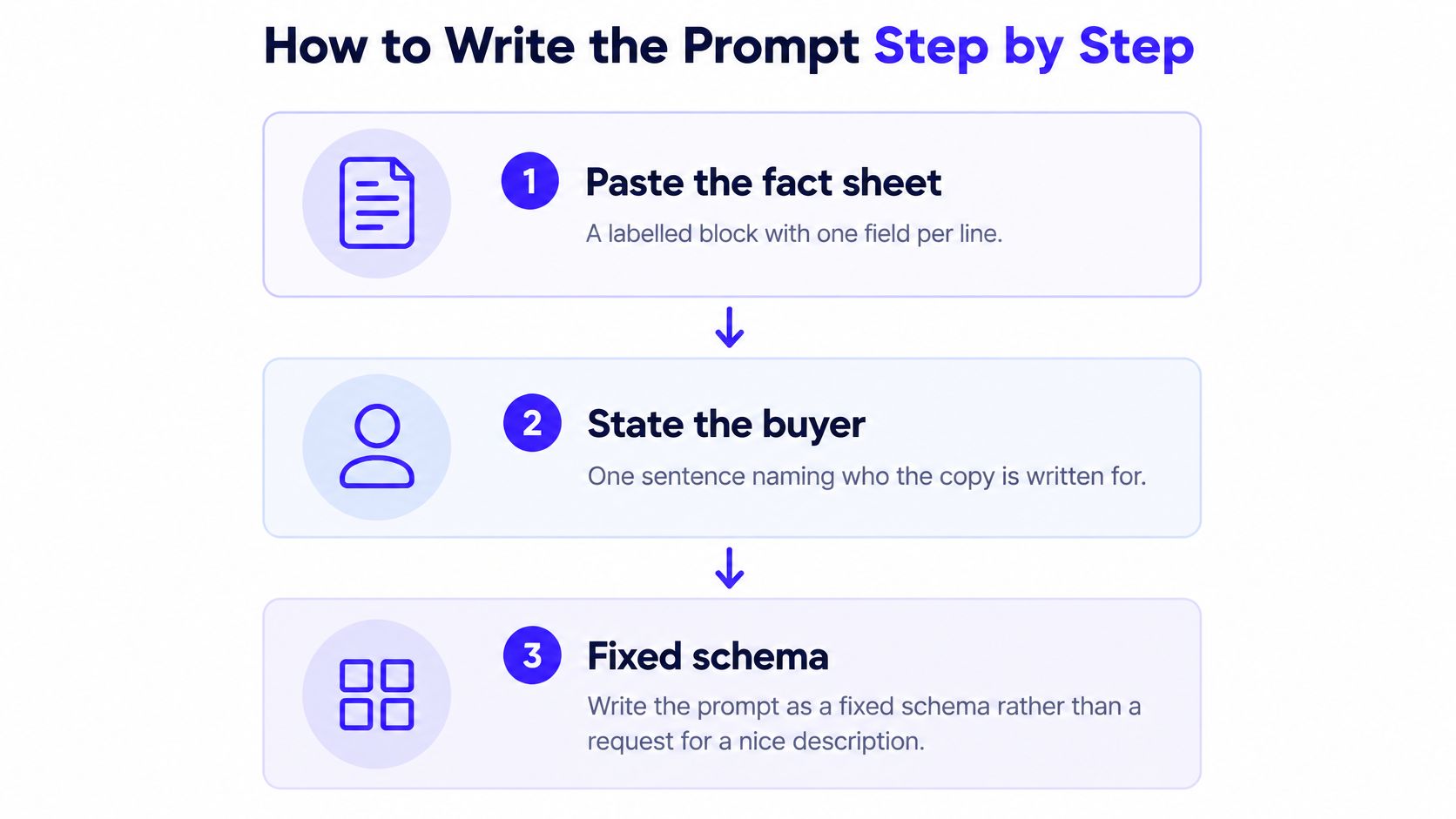
Paste a labelled fact sheet. Put each field on its own line and identify the block as the only authority for product facts. This makes it easier to distinguish instructions from product information.
Name the buyer and task. Describe a freelance designer who sends invoices from her phone, rather than a business professional seeking productivity. A concrete task gives the model a useful basis for selecting benefits.
Specify the schema. For an initial drafting template, request a title, a benefit sentence, feature bullets, specifications, use cases, and a call to action. Keep this structure consistent so you can compare drafts without also evaluating different layouts.
Show your voice. Supply a short passage you wrote yourself and explicitly exclude inflated language. Examples give the model something more actionable than friendly but professional.
Require omission and traceability. Instruct the model to use only supplied facts, omit unsupported statements, and attach a source-field label to every factual draft sentence. Keep those labels in the review version, not the published listing.
Request a separate short variant. Ask for a compact version for an ad or directory pitch, then adapt it to the destination's actual character limits. Don't assume a short paragraph automatically fits a metadata field.
A reusable prompt worksheet, whether kept in a document or alongside a listing such as Frompting, should preserve the instructions separately from each product's facts. Otherwise, an edit intended for a single item can accidentally become a catalog-wide rule.
Make the transformation visible
For a hypothetical drafting template, you might request a title under sixty characters, five bullets, two use cases, and a single CTA. Those are editorial choices, not universal requirements. If the fact sheet supports fewer distinct features, tell the model to return fewer bullets instead of inventing enough to fill the template.
The hypothetical specification Exports up to 3 MB; CSV and PDF formats can become:
Exports up to 3 MB in CSV or PDF.
The limit survives intact, and the wording becomes easier to scan. A Zapier sentence should disappear because the integration record explicitly excludes it.
Don't paste an entire old webpage into the fact block. It may contain expired offers, abandoned positioning, or capabilities that were only planned. Extract current facts first, and provide old copy separately only if you want the model to study its style.
Edit the Draft Into Final Copy
A structurally correct draft can still waste the reader's attention. Edit for specificity, reading order, and decision value, rather than trying to make every sentence sound more impressive.
Keep the annotated draft beside the clean version while you work.
Run a deliberate editing pass
Delete unsupported adjectives. Remove powerful, effortless, and similar words unless they convey something the buyer can evaluate. Replacing them with another adjective usually doesn't solve the problem.
Apply destination limits. Count characters for titles and metadata, and check whether bullets wrap awkwardly on mobile. Use tighter internal word limits if they help, but don't cut a material restriction just to hit a target.
Use customer language selectively. Replace generic productivity language with the task customers describe. Preserve the meaning of their words without presenting an edited sentence as a verbatim testimonial.
Lead bullets with the task. Prefer exporting invoices to a feature label such as export engine. The reader should understand what they can do before learning your internal name for the feature.
Read the draft aloud. Delete sentences that repeat the opening benefit or add nothing beyond the bullet immediately above them. Repetition isn't additional persuasion.
Reconcile the specification block. Compare it line by line against the record, including units, exclusions, and effective dates. A harmless-looking rewrite can turn a file-size limit into a storage allowance.
Save an approved candidate. Give the edited version a clear identifier and retain the incumbent description separately. Your experiment needs the exact text visitors received, not a document someone kept editing during the test.
For example, a hypothetical mobile invoicing tool doesn't need a paragraph about supporting independent professionals. It needs a clear explanation of which invoicing tasks work on a phone and which still require a desktop.
Good editing removes uncertainty for the buyer. It doesn't remove limitations from the product.
Save this edited candidate as the fixed baseline for the new-copy variant. Any later substantive revision should be treated as a different version.
Checking Every Claim Before You Publish
An invented integration becomes expensive when a buyer tries to use it. You're no longer correcting a sentence. You're handling a failed setup, explaining the mismatch, and deciding whether to refund a purchase made on that promise.
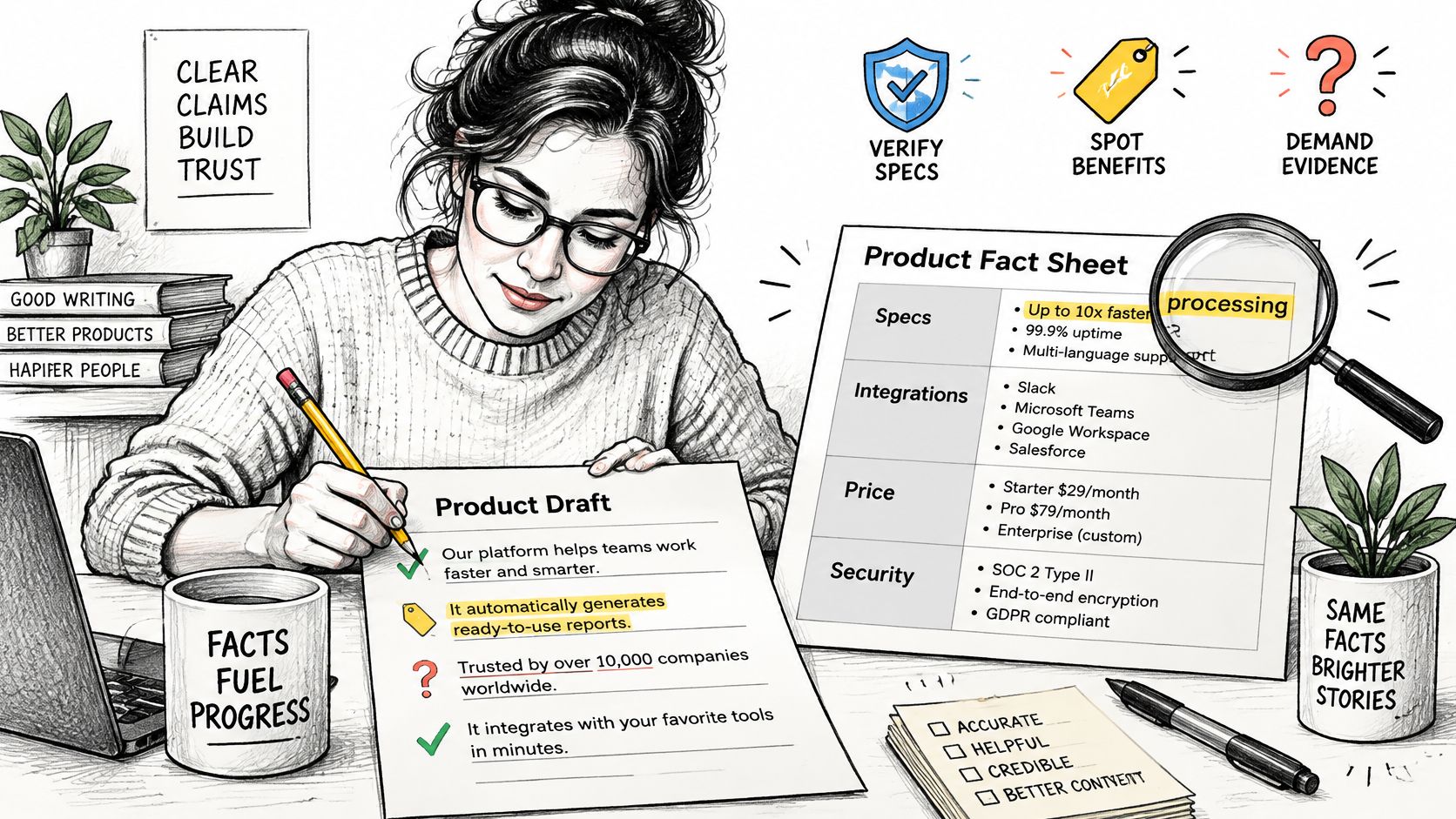
Review each sentence as a fact, a generated benefit, or a claim requiring evidence. A benefit still needs scrutiny: exporting invoices may support easier recordkeeping, but it doesn't establish guaranteed tax compliance.
Match the review to the risk
The ACL paper on an LLM-based product-description system reports recall of 0.96 and precision of 0.72 in its strongest reported category, while noting difficulty filtering subjective opinions from reviews. Those results aren't a reliability guarantee for your catalog. They reinforce the need to examine what a system includes, not just what it successfully retrieves.
Claim types, what to check them against and the review level
| Claim type | Check against | Review level |
|---|---|---|
| Specifications and dimensions | Product record | Automated match plus spot check |
| Integrations and compatibility | Live integration list | Manual review before publishing |
| Security, privacy, certifications | Signed documents or policy pages | Founder or legal sign-off |
| Pricing and availability | Live pricing page and checkout | Automated match to live price |
| Performance results | Dated internal test or customer data | Remove unless evidence exists |
| Comparative claims such as faster than a rival | Benchmark you can show | Remove by default |
| Subjective benefits such as simple or loved | Reviews or user quotes | Light edit, keep the tone |
Start with specifications: compare values and units programmatically, then inspect the surrounding meaning. A matching number doesn't prove that the sentence describes the right limit.
Next, test integrations and compatibility against the current product. Distinguish native integrations from manual exports, third-party connectors, and workarounds.
Security and certification claims need their own approval. Don't let a general privacy policy become a claim about certification, encryption architecture, or regulatory compliance.
For pricing, check both the pricing page and checkout. For measured results or competitor comparisons, retain the test conditions and evidence or remove the claim.
Finally, handle subjective language proportionately. Simple can remain a modest positioning choice, but loved by teams implies customer evidence. Don't manufacture social proof by summarizing unrelated reviews.
Keep an audit trail
Store the source-record version, prompt, output, edited copy, and approval together. For bulk generation, retrieve only the relevant approved fields rather than letting the model search an unfiltered folder.
Manually review the initial batch before enabling broader publication. After catalog changes, sample published pages and inspect higher-risk claims directly; a successful number check won't reliably catch a plausible feature that doesn't exist.
Whether to Disclose AI Use on Your Listing
Verification matters more than a reassuring label, but it doesn't replace honest disclosure. A buyer needs accurate product details and a truthful account of how you produced them when that information is relevant.
Consumer skepticism makes that distinction important. A consumer research announcement carried by Fidelity reports that 53% of U.S. respondents don't trust products advertised with AI to match their descriptions, while 43% said they had previously felt duped by an AI-generated advertisement. Those findings describe attitudes, not the conversion effect of adding a disclosure to your particular listing.
Choose a proportionate disclosure
- Routine, human-verified descriptions. I would put a short process note in an accessible FAQ or about page unless the listing platform or applicable rules require something more prominent.
- Materially AI-shaped content. If generated demonstrations, synthetic testimonials, or simulated product experiences could change a buyer's interpretation, address that directly where they appear. A distant process note won't clarify the immediate impression.
- High-stakes claims. For safety, health, financial outcomes, or measured performance, identify the claim's basis and make supporting evidence accessible. AI disclosure doesn't establish that the claim is valid.
A suitable process note could say that product details were drafted with AI and checked against the current specification sheet. Use that wording only if someone performed that check, and don't imply legal or technical review that never happened.
Also distinguish drafting assistance from product functionality. A description written with AI doesn't mean the product contains AI features, and a product with AI features doesn't mean its marketing was generated.
The trade-off isn't honesty versus persuasion. It's whether the disclosure gives useful context without distracting from the buying decision. Don't assume a label is harmless, and don't assume hiding the process protects engagement. Test placement where appropriate, while keeping the underlying process statement truthful.
How to A/B Test AI Copy Against Your Current Description
Declaring a winner after a couple of days is an easy way to mistake a traffic fluctuation for better copy. A small founder-run test needs a written decision rule before it needs a dashboard.
Keep expectations modest. A multilingual controlled retail experiment summarized by Gladly's conversion optimization case studies covered approximately 4.77 million shoppers and reported a 1.3% conversion increase and 2.1% sales increase for AI-generated descriptions. That supports testing incremental improvements, not forecasting the same lift for a low-traffic SaaS listing.
Set up a comparison you can interpret
- Choose a stable page. Use a product with enough ongoing traffic to observe meaningful buyer behavior, rather than a launch page receiving a temporary promotion.
- Change the copy, not the offer. Hold price, screenshots, category, CTA, and acquisition conditions constant. Otherwise, you won't know which change influenced the result.
- Define the primary outcome. Choose purchases, qualified outbound clicks, or activation according to what the page is supposed to achieve.
- Predefine the stopping rule. Set the required sample using your baseline conversion rate, the smallest worthwhile improvement, and your chosen statistical criteria.
- Keep assignment consistent. Use an even random split where practical, and avoid showing returning visitors different variants unpredictably.
For a SaaS listing, compare a problem-led opening against a feature-led opening. Don't simultaneously replace the headline, screenshots, pricing explanation, and button text if your question is specifically about the description.
If you're evaluating testing utilities, the ABWatcher listing is a place to inspect the tool before choosing your setup. Whatever you use, verify that its assignment and event tracking match your experiment.
Read outcomes in the right order
| Metric | What it helps you judge | When to review |
|---|---|---|
| Conversion rate | Whether visitors complete the intended action | At the predefined sample |
| Revenue per visitor | Whether more conversions also produce revenue | Once purchase data is complete |
| Add-to-cart or qualified clicks | Whether visitors advance toward buying | As a diagnostic during the test |
| Bounce or engagement | Whether visitors continue interacting | As context, not the sole winner criterion |
| Refunds and returns | Whether purchases reflect accurate expectations | After the relevant purchase cohort matures |
| Activation | Whether SaaS buyers reach useful product behavior | After the normal onboarding window |
Review by product type when testing a catalog. An overall gain can coexist with worse results for a specific category.
A small sample can expose broken tracking, confusing wording, or a severe decline. It often can't distinguish a modest lift from random variation. If the result remains uncertain, keep the incumbent or extend the test under the original rules; don't call a numerical lead proof.
When AI Copy Loses Engagement and How to Revert
Faster drafting isn't a buyer benefit. Neither is a longer description that repeats familiar promises while making the product harder to understand.
Attitudes can also affect engagement. Menlo Ventures reports that 36% of consumers are less likely to engage with content when they know it was AI-generated, compared with 14% who become more interested. That doesn't prove your AI-assisted listing will underperform, but it rules out assuming that the production method itself is a selling point.
Separate weak copy from broken expectations
Watch for a combination of behavioral and support signals:
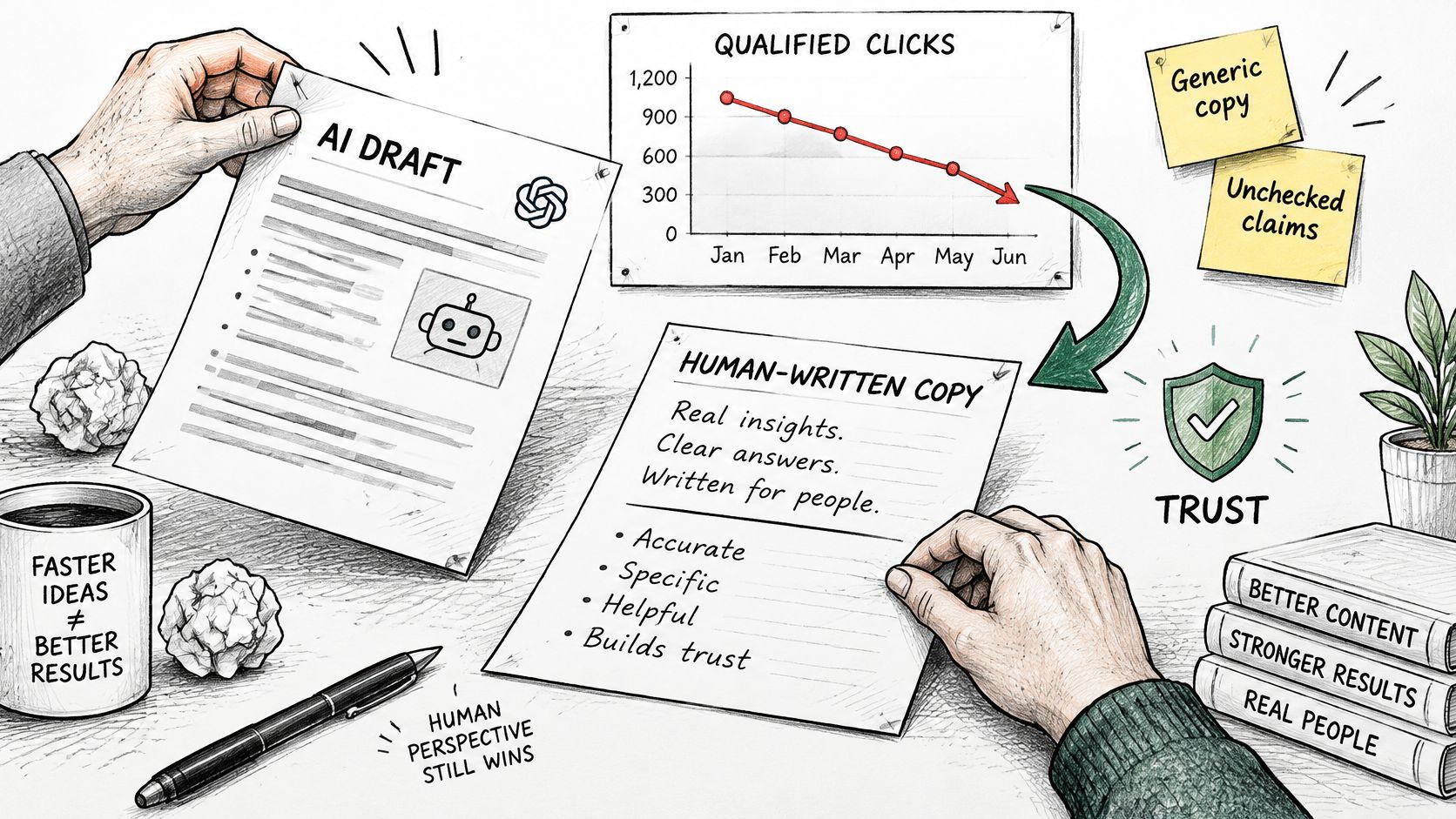
- Fewer qualified visits. The description attracts curiosity but fewer people who fit the product.
- Feature-confusion tickets. Buyers ask how to enable something the listing appeared to promise.
- Post-purchase disappointment. Refund explanations mention expectations that don't match the product.
- Lower activation. New users sign up but don't reach the task emphasized in the copy.
Ask a small group of real customers what they expected from the page before using the product. Let them answer without suggesting a feature or preferred explanation. Their language can reveal a misunderstanding that a click-through chart won't explain.
Write the rollback rule before launch
Rollback rule: If the candidate trails the incumbent on the agreed primary metric after the planned sample, keep the incumbent. If the candidate contains a material false promise, remove it immediately rather than waiting for the test.
Keep a human-led option, but don't assume handwritten copy is automatically accurate or effective. Apply the same claim checks and outcome criteria to both variants.
A useful hybrid keeps AI for structured drafts and alternate phrasing while a person writes the hero line and opening sentence. That's a division of work, not a guaranteed winning formula. Retain whichever approved version helps the right buyer understand the actual product.
Publish Your First AI-Assisted Listing Today
Choose a product whose details you can verify without chasing missing documents. Reserve time to approve its description, and keep a dated copy of the current listing before changing anything.
For a directory pitch, decide what a qualified visitor should understand before clicking through. A clear buyer, task, and limitation are more useful than a compressed inventory of every feature.
If you're preparing an ecommerce product, browse the e-commerce directory to consider category fit and the context in which visitors will encounter your pitch. At IndieTool, founders can update their product name, landing page pitch, logo, category, and target URL at any time through the founder dashboard.
Set a review appointment rather than an automatic winner announcement. At that review, check tracking, buyer feedback, and whether you've reached the planned sample. Publish the approved candidate today only if you're also ready to monitor it and restore the incumbent when necessary.
IndieTool offers a startup directory and founder-managed listings where you can publish your verified product pitch and update it as the product changes. Visit IndieTool to give your AI-assisted description a clear showcase page, then use buyer behavior and feedback to guide the next edit.