vidflux.ai
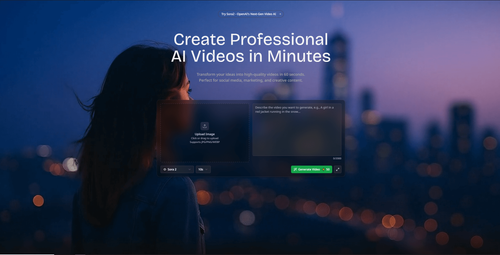
AiDR 38Create Professional AI Videos in Minutes
Vidflux.ai offers a streamlined solution for creating professional-grade videos from text, images, or other videos using advanced AI models, making it accessible for users without technical expertise. Its real-world utility shines in rapid content production for social media, marketing, and creative projects.
Key Advantages
- ✓Rapid video creation from text or images with AI precision.
- ✓Supports multiple formats and resolutions, including HD and 4K.
- ✓Offers a range of use cases from marketing to educational content.
Trade-offs & Considerations
- •Credits-based pricing model may not suit all budgets.
- •Limited to short video durations of up to 30 seconds.
What is vidflux.ai?
vidflux.ai is an innovative platform that empowers users to create high-quality videos from text in just 60 seconds. Utilizing advanced AI models, it transforms ideas into professional MP4 videos effortlessly, making video production accessible to all, regardless of technical expertise.
Key Features & Highlights
5 FeaturesCore capabilities and advantages of using vidflux.ai for your workflow:
How to use vidflux.ai
Getting started with vidflux.ai is a breeze! First, sign up and log in to your account. Once you're in, simply enter your text or script into the provided input field. Choose from a variety of video styles and themes that align with your vision. After customizing elements like visuals and music, hit the 'Generate' button. Within seconds, your professional-grade video will be ready for download. Share it across your platforms, and watch your engagement soar!
About vidflux.ai
As a curator for IndieTool, I’m thrilled to spotlight vidflux.ai, a game-changer for startup founders and content creators alike. It addresses a common pain point—time-consuming video production. With its ability to generate polished videos rapidly, founders can focus on their core business while still engaging their audience with compelling visual content. In a world where video marketing is paramount, this tool offers an efficient solution to produce professional-grade videos without the hefty price tag or extensive resources. Embrace the future of video creation and elevate your brand presence effortlessly!
Real performance numbers in the last 30 days
Frequently Asked Questions
Common questions about vidflux.ai, features, and launch details.
Q:What types of videos can I create with vidflux.ai?
You can create a variety of videos including promotional videos, educational tutorials, social media content, and animated stories using text, images, or existing videos.
Q:Is there a limit on the video length I can generate?
Yes, videos can range from 3 to 30 seconds, depending on the type of content and the selected generation model.
Q:Can I use the videos commercially?
Yes, vidflux.ai provides commercial usage rights with all generated videos, allowing you to use them for marketing and business purposes.
Related Ai Apps
View All →
Trucess LLC
Financial Clarity for a More Purposeful Future.

Pinder Plotkin Legal Team
Maryland's injury law team since 2002.
GetRender
AI Architectural Rendering & Design Tools | GetRender
AI Manga Translator
Free AI Manga Translator – Translate Manga Online

AI Jewelry Model
AI Jewelry Model – Show Your Jewelry on Models
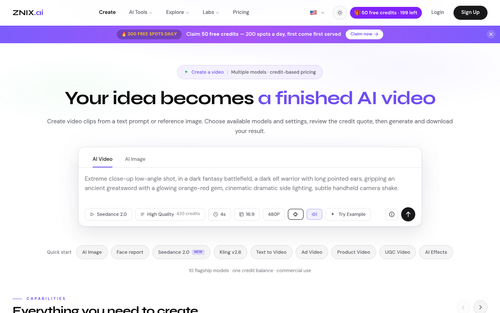
ZNIX.ai
AI Video & Image Generator — Multi-Model Studio | ZNIX.ai
Featured Banner for vidflux.ai Ai Tool (1080x75)