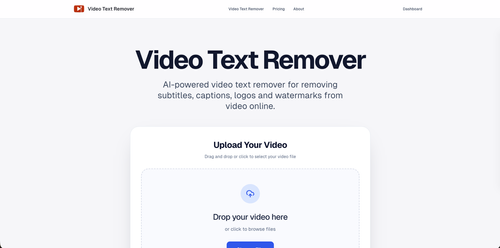
Video Text Remover offers a straightforward solution for creators looking to clean up their videos by removing subtitles, logos, and watermarks with an AI engine that reconstructs the background. Its utility is clear for those needing quick edits without engaging in complex video editing software.
Key Advantages
- ✓Efficient removal of text elements without degrading video quality.
- ✓User-friendly interface requiring no software installation.
- ✓Flexible pricing options catering to both occasional and frequent users.
Trade-offs & Considerations
- •Limited to text and object removal rather than comprehensive video editing.
- •Maximum file size limited to 500MB, which may not be suitable for longer videos.
What is Video Text Remover?
Video Text Remover is an AI-powered online tool designed to effortlessly remove unwanted text elements from videos, such as subtitles, captions, logos, and watermarks. It streamlines the video editing process, allowing users to enhance their content without the hassle of complex software.
Key Features & Highlights
5 FeaturesCore capabilities and advantages of using Video Text Remover for your workflow:
How to use Video Text Remover
Using Video Text Remover is simple and efficient. Start by uploading your video file directly to the platform. Once uploaded, select the specific text elements you want to remove, such as subtitles or logos. The AI will analyze the video and process the removal automatically. After a brief moment, you can preview the edited video to ensure satisfaction. Finally, download your polished video and share it across your platforms, confident that it meets your standards. It's that easy to enhance your content without the need for advanced editing skills!
About Video Text Remover
As an indie founder, you know how crucial it is to present polished content. Video Text Remover is a game-changer, addressing the common frustration of unwanted text overlays in videos. Whether you're creating promotional material, tutorials, or social media content, this tool elevates your visuals by seamlessly removing distractions. Its AI-driven technology ensures high-quality results, saving you time and effort that can be redirected toward more strategic tasks. In a competitive landscape where every detail matters, this app empowers creators to maintain a professional edge and focus on what truly counts: their message.
Real performance numbers in the last 30 days
Frequently Asked Questions
Common questions about Video Text Remover, features, and launch details.
Q:What types of text can this video text remover eliminate?
The video text remover can eliminate subtitles, captions, logos, watermarks, and various distracting objects from your video.
Q:Can I preview my video before exporting it?
Yes, you can generate a short preview to check the cleanup quality before deciding to run the full video export.
Q:What video formats are supported by the app?
The app supports MP4, MOV, and WEBM formats for video uploads, with a maximum file size of 500MB.
Related Ai Apps
View All →
Demo Editor
Get a promo video of your real product.
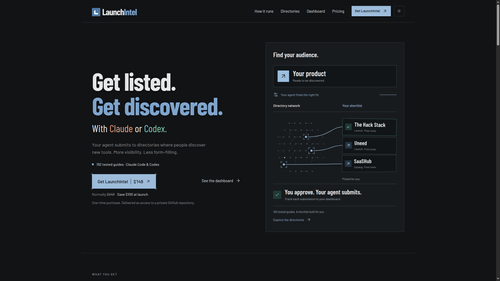
LaunchIntel
Curated directory playbooks for Claude Code and Codex

Easemic
Open-Source Android Comic & Manga Cloud Reader
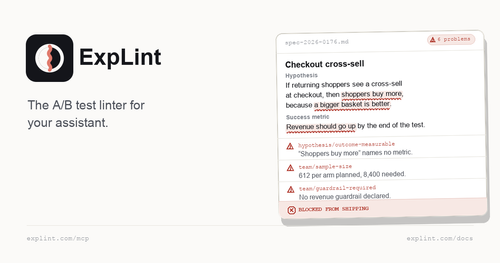
explint.com
explint.com — the A/B test linter for your assistant
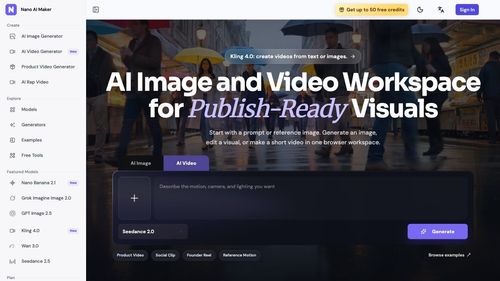
Nano AI Maker
AI Image and Video Workspace for Publish-Ready Visuals
.jpg)
GTA 6 Cheat Codes
List Of Cheat Codes For Grand Theft Auto 6
Featured Startups
Submit App →
Try OC Maker
AI OC Maker for Anime & Original Characters | Try OC Maker

AI Jewelry Model
AI Jewelry Model – Show Your Jewelry on Models

screenRIG
Signage and kiosks your AI agent builds and runs

Influence
Plan, write and schedule your social media posts.
The Audio Stuff
Honest Hi-Fi Gear Reviews Built on Real Listening

DunCrux
Offline First Auto Prioritizing todo list