Threat Watch
ProductivityDR 6Empowering organizations to see and secure their digital risks.
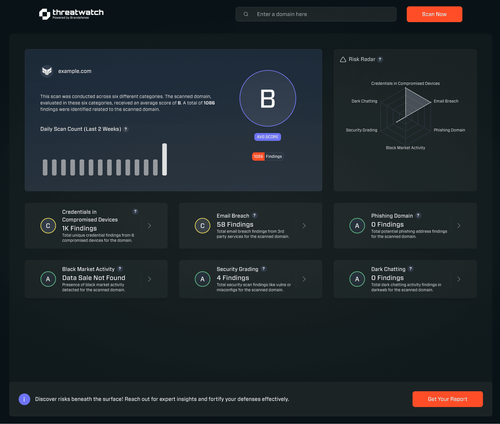
Threat Watch provides organizations with instant evaluations of their cybersecurity posture, offering actionable insights to identify and mitigate vulnerabilities effectively. It's a practical tool for enhancing digital security without the need for extensive in-house expertise.
Key Advantages
- ✓Instant evaluation of cybersecurity posture
- ✓Actionable insights for risk mitigation
- ✓User-friendly interface requiring minimal expertise
Trade-offs & Considerations
- •Limited to cybersecurity posture assessments rather than comprehensive security solutions
- •No live support or website content for additional guidance
What is Threat Watch?
Threat Watch is an innovative cybersecurity application designed to help organizations assess and enhance their digital security posture. It delivers instant evaluations and actionable insights, enabling users to identify vulnerabilities and mitigate risks effectively.
Key Features & Highlights
5 FeaturesCore capabilities and advantages of using Threat Watch for your workflow:
How to use Threat Watch
Getting started with Threat Watch is straightforward. First, sign up for an account and complete the initial setup by entering your organization's details. Next, run a comprehensive security assessment to evaluate your current posture. The app will generate an instant report highlighting vulnerabilities and providing actionable insights tailored to your needs. Finally, implement the recommended strategies and monitor your progress through the dashboard, ensuring your cybersecurity measures evolve as your organization grows.
About Threat Watch
As a curator, I'm thrilled to spotlight Threat Watch, a game-changing tool for startups and solo founders navigating the complex world of cybersecurity. In an era where digital threats are rampant, understanding your organization's security vulnerabilities is more crucial than ever. Threat Watch empowers users with immediate assessments and practical recommendations, making it easier to fortify defenses against potential breaches. By simplifying the evaluation process, this app allows founders to focus on growth while ensuring their digital assets are secure. Investing in Threat Watch is not just about compliance; it's about building trust with your customers and safeguarding your innovative ideas.
Real performance numbers in the last 30 days
Frequently Asked Questions
Common questions about Threat Watch, features, and launch details.
Q:What types of threats does Threat Watch monitor?
Threat Watch monitors a wide range of threats, including malware, phishing attempts, and data breaches to keep your information safe.
Q:Is Threat Watch available on all devices?
Yes, Threat Watch is available on both iOS and Android devices, making it accessible for everyone.
Q:How often does Threat Watch update its threat database?
Threat Watch updates its threat database in real-time, ensuring that you receive the most current information about potential risks.
Related Productivity Apps
View All →
Mareel
AI Video & Image Generator – 40+ AI Models | Mareel

screenRIG
Signage and kiosks your AI agent builds and runs
Kinovi
Run AI Models with an API | Kinovi
ZeroBG.ai
ZeroBG - AI Background Remover & Photo Cleanup Tools
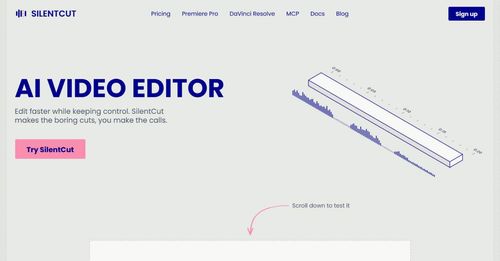
Silentcut
SilentCut makes the boring cuts, you make the calls.
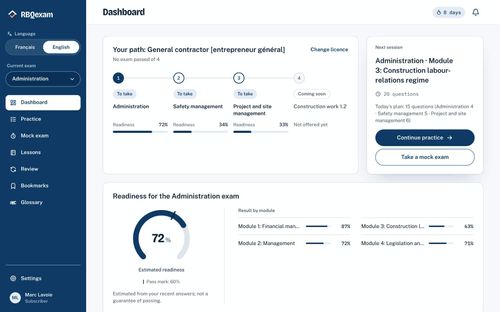
RBQ Exam
Practice questions and mock exams for the RBQ contractor licence exams.
Featured Banner for Threat Watch Productivity Tool (1080x75)