TeamSlide
ProductivityDR 31Build better presentations, faster, with approved slides right inside PowerPoint.
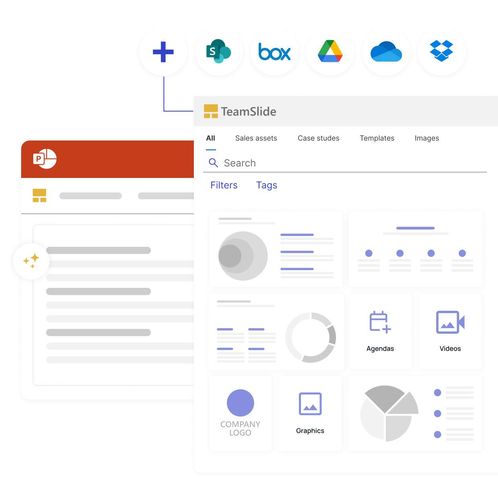
TeamSlide optimizes presentation creation by integrating a slide library directly into PowerPoint, ensuring brand consistency with approved content and AI-powered generation. It's a practical tool for maintaining up-to-date, on-brand presentations effortlessly.
Key Advantages
- ✓Seamless integration with PowerPoint and popular content systems like SharePoint and Box.
- ✓AI-powered slide generation that adheres to brand guidelines.
- ✓Robust version control to prevent outdated content.
- ✓Automated checks for brand compliance and error detection.
Trade-offs & Considerations
- •Limited to PowerPoint users, excluding other presentation software.
- •AI slide generation may require manual adjustments for perfection.
What is TeamSlide?
TeamSlide is a PowerPoint slide library and presentation management platform that allows users to access approved, on-brand slides instantly. With its AI-powered generation feature, TeamSlide helps teams build better presentations faster, ensuring consistency and quality throughout their visual communications.
Key Features & Highlights
5 FeaturesCore capabilities and advantages of using TeamSlide for your workflow:
How to use TeamSlide
Getting started with TeamSlide is a breeze. First, sign up and integrate the app with your PowerPoint setup. Once you're logged in, you can browse the extensive library of approved slides, filtering by category or theme to find what you need. To create a presentation, simply select the slides you want and add them to your deck. For a personalized touch, use the AI generation feature to create custom content tailored to your specific needs. Finally, review and refine your presentation before sharing it with your team or stakeholders, ensuring a sleek, on-brand delivery every time.
About TeamSlide
As a startup founder, you know the importance of presenting ideas clearly and effectively. TeamSlide is an exciting tool that tackles the common pain point of inconsistent branding and time-consuming slide creation. With instant access to a library of approved slides, TeamSlide empowers teams to create polished presentations in no time. Its AI-driven capabilities further enhance efficiency, allowing users to generate tailored content seamlessly. This means less time worrying about design and more time focusing on what truly matters: your message. Founders should embrace TeamSlide to elevate their presentation game, ensuring their ideas are communicated effectively and professionally.
Real performance numbers in the last 30 days
Frequently Asked Questions
Common questions about TeamSlide, features, and launch details.
Q:How does TeamSlide ensure brand compliance?
TeamSlide enforces brand compliance by automatically checking presentations for adherence to brand guidelines, including fonts, colors, and layouts.
Q:Can I integrate TeamSlide with my existing content systems?
Yes, TeamSlide integrates seamlessly with various content systems like SharePoint and Box, allowing your team to access the latest approved slides directly within PowerPoint.
Q:What features does TeamSlide offer for slide generation?
TeamSlide offers AI-powered slide generation that turns your notes into polished slides, ensuring they reflect your brand and voice without generic elements.
Related Productivity Apps
View All →
DrawPic Edit Text in Image
Edit text in any image — same font, rest untouched

Try OC Maker
AI OC Maker for Anime & Original Characters | Try OC Maker
AMW Suite
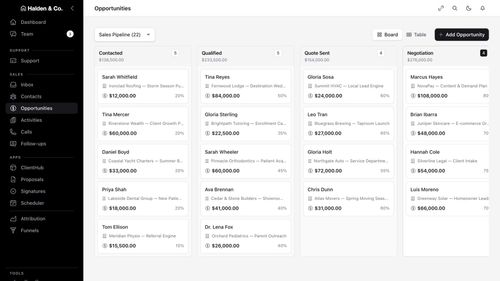
Your CRM, inbox, help desk and proposals in one place, with an AI team
robodocxs.ai
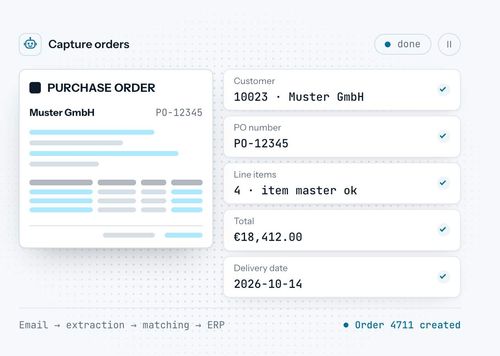
AI agents that work inside your systems, with your team always in control.

App-Vault
A sealed vault for the photos, files and documents you'd rather not hand a stranger.

Trucess LLC
Financial Clarity for a More Purposeful Future.
Featured Banner for TeamSlide Productivity Tool (1080x75)