ProcessSpy
ProductivityDR 42Advanced process monitor for Mac
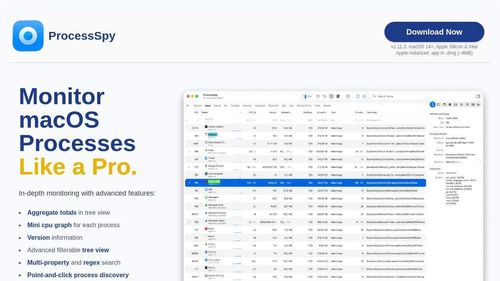
ProcessSpy is a robust process monitoring tool for Mac users, offering detailed insights into CPU, memory, and disk usage with advanced filtering options. It stands out by providing historical data and a deep inspection of processes, making it a valuable asset for developers and power users.
Key Advantages
- ✓Detailed historical data logging and export capabilities.
- ✓Advanced filtering options with JavaScript and regex support.
- ✓In-depth inspection features including digital signature and environment variables.
Trade-offs & Considerations
- •Limited to macOS 14 and newer versions.
- •Some advanced features require a paid license.
What is ProcessSpy?
ProcessSpy is an advanced process monitoring tool designed specifically for Mac users. It allows you to track and analyze running processes, providing insights into system performance and resource usage. With its intuitive interface, you can easily identify memory hogs and CPU-intensive tasks, enabling you to optimize your workflow and enhance your Mac's efficiency.
Key Features & Highlights
5 FeaturesCore capabilities and advantages of using ProcessSpy for your workflow:
How to use ProcessSpy
Getting started with ProcessSpy is a breeze. First, download and install the app from the official website. Once launched, you’ll be greeted by a clean dashboard displaying all active processes. You can sort and filter these processes by CPU usage, memory consumption, and more. To dive deeper, click on any process for detailed information. Utilize the insights to identify resource-heavy applications and optimize your system accordingly. Don't forget to periodically check back to ensure your Mac runs smoothly as your workload evolves!
About ProcessSpy
As a startup founder, understanding your system's performance is crucial, and that's where ProcessSpy shines. This app elevates your ability to monitor processes with precision, allowing you to pinpoint issues that could slow down your productivity. The excitement lies in its user-friendly design and powerful analytics, making it accessible even for those who aren't tech-savvy. ProcessSpy not only solves the problem of process management but also empowers you to make informed decisions about your system, ensuring that you maximize your Mac's potential. For founders juggling multiple tasks, this tool is a game changer in maintaining an efficient workflow.
Real performance numbers in the last 30 days
Frequently Asked Questions
Common questions about ProcessSpy, features, and launch details.
Q:Is ProcessSpy safe to install on my Mac?
Yes, ProcessSpy is Apple-notarized and distributed as a signed .app inside a .dmg, ensuring it is verified and safe to install.
Q:What features differentiate ProcessSpy from Activity Monitor?
ProcessSpy offers advanced features like CPU QoS breakdown, memory footprint tracking, and detailed process identification not available in Activity Monitor.
Q:Can I export my monitoring data from ProcessSpy?
Yes, ProcessSpy allows you to export your historical CPU and memory data directly to CSV for deeper analysis or reporting.
Related Productivity Apps
View All →
ZNIX.ai
AI Video & Image Generator — Multi-Model Studio | ZNIX.ai

AirLST
Invitations, registration, check-in and every guest in between, in one event platform.

Jason Plotkin
Personal authority platform as an author, advocate, lawyer and speaker.

Trucess Tax Advisory
Smarter Tax Strategy. Clearer Business Decisions.

Everygen AI
Everygen AI : Every Top AI Video & Image Model in One Place

SeaMove AI
SeaMove AI — Seedance 2.0 Multimodal AI Video Generator Free | SeaDance AI
Featured Banner for ProcessSpy Productivity Tool (1080x75)




