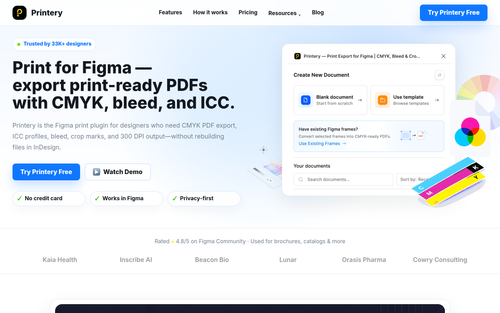
Printery - Print for Figma
DesignDR 8Print for Figma — export print-ready PDFs with CMYK, bleed, and ICC.
Printery enhances Figma by enabling designers to export print-ready PDFs with CMYK conversion, ICC profiles, and essential print features like bleed and crop marks. It effectively bridges the gap between digital design and professional print production directly within Figma.
Key Advantages
- ✓Enables CMYK PDF export with ICC profile support directly in Figma.
- ✓Includes essential print features such as bleed, crop marks, and DPI control.
- ✓Supports multi-page and batch exports for comprehensive document handling.
Trade-offs & Considerations
- •Primarily focused on print-specific features, not a full design suite.
- •May require some learning curve for those unfamiliar with print production settings.
What is Printery - Print for Figma?
Printery is a powerful Figma plugin designed to streamline the process of exporting designs as print-ready PDFs. With features like CMYK conversion, ICC profiles, bleed settings, crop marks, and DPI control, it ensures your designs are ready for professional printing, while also supporting multi-page output.
Key Features & Highlights
5 FeaturesCore capabilities and advantages of using Printery - Print for Figma for your workflow:
How to use Printery - Print for Figma
To get started with Printery, first install the plugin from the Figma community. Open your design file and select the frames you wish to export. Navigate to the Printery plugin and choose your desired settings, including CMYK conversion and bleed options. Once configured, click 'Export' to generate your print-ready PDF. Make sure to review the output and adjust DPI settings if necessary for optimal resolution. With these straightforward steps, you’ll be ready to impress clients and stakeholders with high-quality printed materials!
About Printery - Print for Figma
Printery is a game-changer for designers and founders who need to transition their digital designs into print formats seamlessly. Traditional exporting methods often compromise color accuracy and print specifications, leading to frustrating results. Printery tackles this issue head-on by providing robust tools that ensure your designs maintain their integrity when printed. With CMYK support and customizable bleed settings, you can confidently create materials that look as good on paper as they do on screen. For solo founders and indie hackers looking to elevate their brand presence through printed materials, Printery is an essential tool that simplifies the entire print preparation process.
Real performance numbers in the last 30 days
Frequently Asked Questions
Common questions about Printery - Print for Figma, features, and launch details.
Q:Can Printery handle multi-page PDF exports?
Yes, Printery allows you to export multi-page PDFs effortlessly, supporting batch exports for multiple frames or pages at once.
Q:What color management features does Printery offer?
Printery provides RGB to CMYK mapping, ICC profile embedding, and support for Pantone spot colors, ensuring color accuracy in print outputs.
Q:Is Printery suitable for both solo designers and large teams?
Absolutely! Printery is designed for everyone, from solo designers to enterprise marketing teams, facilitating efficient print file exports.
Related Design Apps
View All →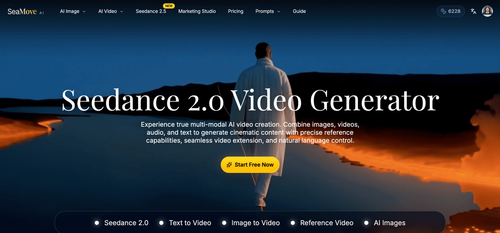
SeaMove AI
SeaMove AI — Seedance 2.0 Multimodal AI Video Generator Free | SeaDance AI
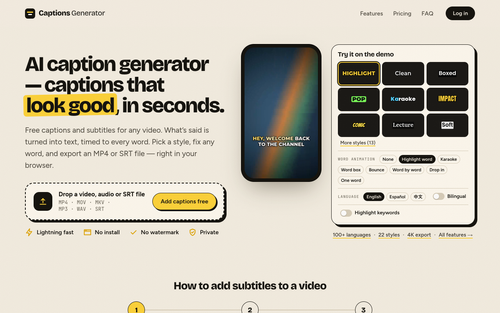
Captions Generator
AI caption generator — captions that look good, in seconds.
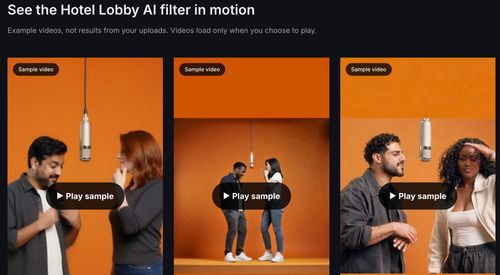
Hotel Lobby AI Filter
Hotel Lobby AI Filter — Two Photos, One Rap Duet
Mareel
AI Video & Image Generator – 40+ AI Models | Mareel

screenRIG
Signage and kiosks your AI agent builds and runs
Kinovi
Run AI Models with an API | Kinovi
Featured Banner for Printery - Print for Figma Design Tool (1080x75)



