PixPin
ProductivityDR 25Capture anything. Pin everything.
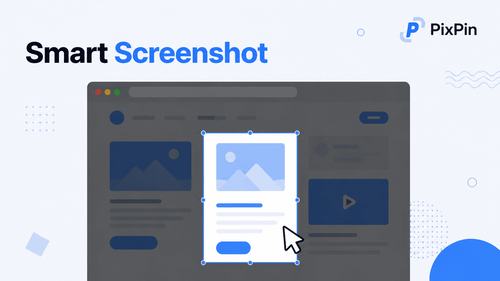
PixPin efficiently merges multiple visual capture and organization tools into a single, user-friendly desktop application, enhancing productivity by allowing users to capture, annotate, and organize visual information effortlessly. Its standout feature is the accurate offline OCR that simplifies text extraction from images without needing an internet connection.
Key Advantages
- ✓Comprehensive toolset including smart screenshots, screen recording, and offline OCR.
- ✓Allows pinning of images and text for easy reference, enhancing workflow efficiency.
- ✓Supports both Windows and macOS, catering to a wide range of users.
Trade-offs & Considerations
- •Lacks a web-based version, limiting access to desktop environments.
- •May require a learning curve to utilize all features effectively.
What is PixPin?
PixPin is a versatile productivity tool designed for capturing and organizing visual information. It offers smart screenshot capabilities, scrolling capture for long content, screen recording features, image pinning, and accurate offline OCR, making it an essential resource for anyone looking to streamline their workflow and enhance their productivity.
Key Features & Highlights
5 FeaturesCore capabilities and advantages of using PixPin for your workflow:
How to use PixPin
Getting started with PixPin is straightforward. Begin by downloading and installing the app on your device. Once set up, you can easily take smart screenshots by selecting the desired area on your screen. For longer web pages or documents, utilize the scrolling capture feature. Record your screen by choosing the screen recording option, and pin important images for quick access. Finally, take advantage of the offline OCR feature to extract text from images, making it easy to store and reference critical information. With these simple steps, you'll unlock a new level of productivity!
About PixPin
As a curator who understands the daily challenges faced by indie founders, I find PixPin to be an absolute game-changer. This all-in-one productivity tool addresses a common pain point: the struggle to capture and organize information efficiently. With features like smart screenshots and accurate offline OCR, PixPin simplifies documentation and information retrieval, allowing founders to focus on what truly matters—building their startups. Its intuitive interface and robust functionality make it a must-have for anyone looking to enhance their productivity and creativity in a fast-paced environment.
Real performance numbers in the last 30 days
Frequently Asked Questions
Common questions about PixPin, features, and launch details.
Q:What platforms is PixPin available on?
PixPin is available for both Windows and macOS.
Q:Can I annotate my screenshots?
Yes, PixPin allows you to annotate your screenshots with various tools to highlight key points and communicate your intent visually.
Q:Does PixPin support text extraction from images?
Yes, PixPin includes OCR functionality to extract text from images directly, making it easy to copy and share important information.
Related Productivity Apps
View All →
Orbitype
Install complete GTM systems that turn shared data, AI agents, and workflows into revenue.

PodcastorAI
AI Podcast Generator: Turn Any Content Into a Podcast | PodcastorAI

Meta Image
Meta Muse Image — Edit & Generate Online | Meta Image

Presentation Intelligence
Next-Gen Presentation. Agent-Native Creation.

Agent Insight
Agent evaluation on the standards you define.
ProviderOps
NDIS provider management software for small Australian teams.
Featured Banner for PixPin Productivity Tool (1080x75)