PixelGen
AiDR 1.8No-Prompt AI Image Generator
PixelGen provides an intuitive AI image generation experience by eliminating the need for prompt engineering, making it accessible for users with minimal technical skills. This tool streamlines the creative process by focusing purely on visual output without the complexity of traditional AI image generation workflows.
Key Advantages
- ✓User-friendly interface that doesn't require prompt engineering.
- ✓Quick generation of high-quality visuals for immediate use.
- ✓Accessible for users with limited technical knowledge.
Trade-offs & Considerations
- •Lacks customization options for users wanting more control over image specifics.
- •Not suitable for advanced users seeking detailed prompt-based image generation.
What is PixelGen?
PixelGen is a revolutionary AI image generator that allows users to create stunning, unique visuals without the need for complex prompt engineering. It simplifies the creative process, enabling anyone—regardless of their technical expertise—to generate high-quality images effortlessly.
Key Features & Highlights
5 FeaturesCore capabilities and advantages of using PixelGen for your workflow:
How to use PixelGen
Using PixelGen is incredibly straightforward. First, sign up for an account on their website. Once logged in, you’ll find an intuitive interface where you can start generating images. Simply choose your desired style or theme, and let the AI work its magic! You can refine the output by adjusting a few simple settings, ensuring the generated image aligns with your vision. Finally, download your images and start using them in your projects immediately!
About PixelGen
PixelGen is a game-changer for startup founders and indie creators alike. The complexity of traditional AI image generators often discourages those who lack technical expertise. PixelGen eliminates this barrier, allowing users to focus on creativity rather than cumbersome prompts. This tool is particularly exciting for founders who need to create marketing materials, social media content, or product visuals quickly and efficiently. By streamlining the image creation process, PixelGen empowers users to bring their visions to life without any hassle, making it a must-have in your toolkit.
Real performance numbers in the last 30 days
Frequently Asked Questions
Common questions about PixelGen, features, and launch details.
Q:What platforms is PixelGen available on?
PixelGen is available on both iOS and Android devices, as well as a web version for desktop users.
Q:Is there a free trial available?
Yes, PixelGen offers a free trial that allows users to explore its features before committing to a subscription.
Q:Can I share my designs directly from the app?
Absolutely! PixelGen allows you to share your designs directly to social media or download them in various formats.
Related Ai Apps
View All →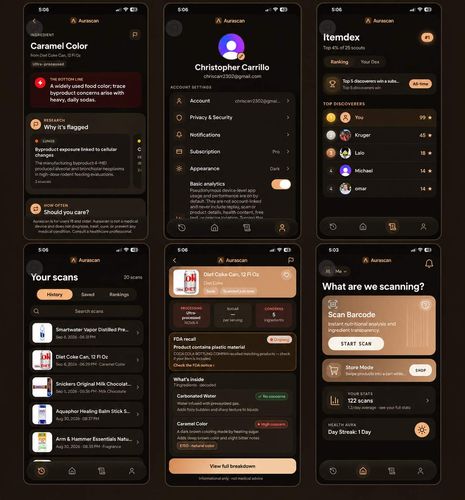
Aurascan
Scan your food. See what the ingredients may do inside your body.
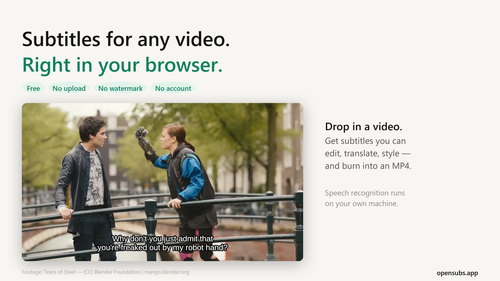
OpenSubs
Free AI subtitle generator that runs in your browser
VPS Snaps
Scheduled backups for your servers, into a bucket you own
Kura
Your collection, treasured.
pdfpix
31 PDF tools that run in your browser and verify every result.
ShieldLabs
Fraud detection and prevention with traffic quality scoring
Featured Banner for PixelGen Ai Tool (1080x75)