ManualFig
DesignDR 24Turn product photos into instruction manual illustrations
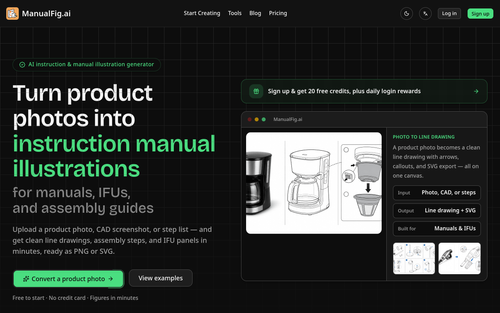
ManualFig efficiently converts product photos into line drawings and assembly instructions, ideal for creating user-friendly manuals. Its AI-driven process reduces the need for manual illustration, saving time and costs for businesses.
Key Advantages
- ✓Transforms product photos into detailed line drawings quickly.
- ✓Offers export options in both PNG and SVG formats.
- ✓Allows easy editing and version control for consistent manual updates.
Trade-offs & Considerations
- •Limited to instruction manual graphics rather than broader design tasks.
- •Free version has restricted SVG conversions and daily credit limits.
What is ManualFig?
ManualFig is an innovative AI-powered tool designed to convert product photos into clear line drawings and assembly instructions. It simplifies the creation of manuals and instructional content, making it easier for businesses to provide their customers with precise and user-friendly guidance.
Key Features & Highlights
5 FeaturesCore capabilities and advantages of using ManualFig for your workflow:
How to use ManualFig
Getting started with ManualFig is a breeze. First, upload high-quality product photos to the platform. The AI will analyze your images and generate clear line drawings automatically. Next, you can customize the illustrations and add step-by-step assembly instructions as needed. Finally, download your completed instruction manual in various formats to share with your customers. With ManualFig, you’ll create professional-looking manuals in just a few clicks, ensuring your customers have the guidance they need to enjoy your products.
About ManualFig
ManualFig is a game-changer for indie founders and solo entrepreneurs who understand the importance of clear communication with their users. This tool addresses the common pain point of creating effective instruction manuals, which can be time-consuming and complex. By leveraging AI technology, ManualFig not only streamlines the design process but also enhances the clarity and accessibility of product information. For startups looking to improve customer experience and reduce support queries, ManualFig is an invaluable asset that saves time and elevates professionalism. The ease of transforming complex visuals into simple illustrations means founders can focus more on innovation and less on manual tasks.
Real performance numbers in the last 30 days
Frequently Asked Questions
Common questions about ManualFig, features, and launch details.
Q:How quickly can I generate an instruction figure?
You can generate an instruction figure in just minutes after uploading your product photo or CAD screenshot.
Q:What file formats can I export my figures to?
You can export your figures as PNG or SVG files, making them easy to integrate into your documentation.
Q:Is there a free trial available?
Yes, you can start for free with 20 credits and receive daily login rewards.
Related Design Apps
View All →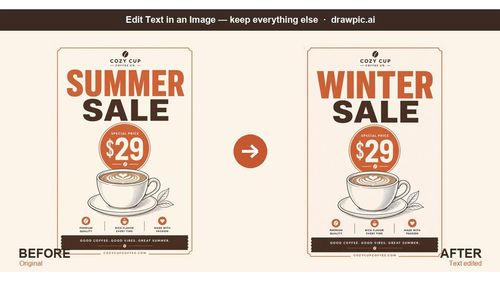
DrawPic Edit Text in Image
Edit text in any image — same font, rest untouched

Try OC Maker
AI OC Maker for Anime & Original Characters | Try OC Maker
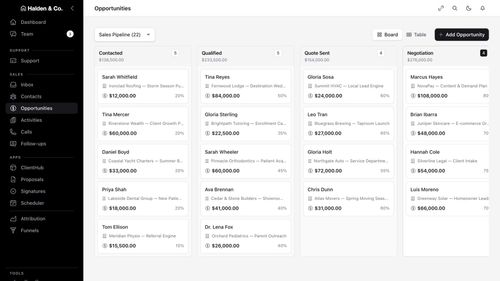
AMW Suite
Your CRM, inbox, help desk and proposals in one place, with an AI team
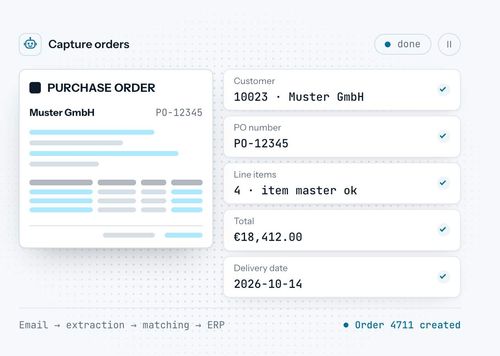
robodocxs.ai
AI agents that work inside your systems, with your team always in control.

App-Vault
A sealed vault for the photos, files and documents you'd rather not hand a stranger.

Trucess LLC
Financial Clarity for a More Purposeful Future.
Featured Banner for ManualFig Design Tool (1080x75)