HISAB 360
Connect Excel to your ledger, reconcile and report by conversation
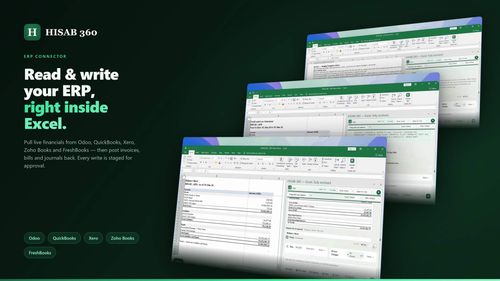
HISAB 360 is a powerful Excel add-in that integrates ledger data directly into your spreadsheets, enabling users to reconcile accounts and generate reports through plain English commands. It solves the tedious manual matching and reporting processes that finance teams face daily.
Finance teams and solo founders looking to automate their accounting and reporting processes within Excel.
HISAB 360 is a game-changer for finance operations, simplifying complex tasks and enhancing accuracy in financial reporting. It empowers users to focus on strategic decision-making rather than manual data entry.
Sahibzada Behram Khan
Wednesday, September 30, 2026
71 / 100
Ahrefs Domain Rating measures backlink strength on a 0 to 100 scale.
- AI-driven reconciliation and reporting in Excel
- Local Python scripts for offline automation
- Approval-gated workflows for risk management
- Integration with major ERPs for live data access
- Custom VBA macros and ribbons built from plain English commands
- Streamlines complex financial processes with AI-driven automation
- Integrates seamlessly with popular ERPs for real-time data access
- Provides robust audit trails for compliance and accountability
- Currently only available for Windows and Excel 2016+
- May require a learning curve for users unfamiliar with AI tools
To get started with HISAB 360, simply install the add-in and connect it to your ledger data. Use plain English commands to request reconciliations or generate reports, and HISAB 360 will handle the rest, processing data and drafting outputs directly within your Excel workbook.
HISAB 360 revolutionizes the way finance teams interact with Excel by leveraging AI to automate complex tasks. This innovative tool not only reconciles bank statements with general ledgers but also drafts reports and manages workflows, all within the familiar Excel environment. Founders and indie builders will appreciate its user-friendly interface, ability to integrate with popular ERPs, and robust audit trails, making it an essential asset for efficient financial management.
Real performance numbers in the last 30 days
Questions
Can HISAB 360 integrate with my existing ERP software?
Yes, HISAB 360 integrates with popular ERP systems like Odoo, Xero, QuickBooks Online, and Zoho Books, allowing for seamless data transfer and management.
Is there a trial version available?
Absolutely! HISAB 360 offers a free 15-day trial with 50 AI credits to explore its features and benefits before committing.
How does HISAB 360 ensure data security?
HISAB 360 employs DPAPI encryption for credentials and maintains an audit trail for all write operations, ensuring your financial data remains secure and compliant.
Best HISAB 360 Alternatives & Similar Productivity Tools (2026)
View all| Tool | Category | Summary / Best For | Pricing | Profile |
|---|---|---|---|---|
| HISAB 360 (Current) | Productivity | HISAB 360 is a powerful Excel add-in that integrates ledger data directly into your spreadsheets, enabling users to reconcile accounts and generate reports through plain English commands. It solves the tedious manual matching and reporting processes that finance teams face daily. | See site | — |
| VisiTralai.lt | Business | Need vehicle recovery in Lithuania? Book a recovery truck online 24/7. Check prices before | See site | View |
| Substack Explorer | Productivity | Find top Substack newsletters and creators in any niche | See site | View |
| Quick Viral Notes | Marketing | Turn your long-form articles into Notes and social posts | See site | View |
| Build to Launch MCP | Agent | Connect your AI agent to 300+ methods and 100+ live tools | See site | View |
| Vibe Coding Builders | Ai | Find someone one stage ahead of you, building with AI | See site | View |
| ShotLingo | Design | Browser-based App Store and Google Play screenshot editor | See site | View |
 VisiTralai.ltNeed vehicle recovery in Lithuania? Book a recovery truck online 24/7. Check prices before
 Substack ExplorerFind top Substack newsletters and creators in any niche
 Quick Viral NotesTurn your long-form articles into Notes and social posts
 Build to Launch MCPConnect your AI agent to 300+ methods and 100+ live tools
 Vibe Coding BuildersFind someone one stage ahead of you, building with AI
 ShotLingoBrowser-based App Store and Google Play screenshot editor