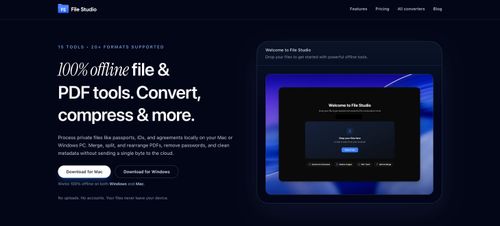
File Studio
ProductivityDR 25Process private files like passports, IDs, and agreements locally on your Mac or Windows
File Studio offers a robust offline solution for managing sensitive files by allowing users to convert, compress, and edit documents directly on their devices, ensuring privacy and security. Its utility is especially valuable for handling confidential documents without relying on cloud services.
Key Advantages
- ✓Operates entirely offline, ensuring privacy and security.
- ✓Supports a wide range of file types including PDFs, images, and spreadsheets.
- ✓Batch processing and automation features streamline repetitive tasks.
Trade-offs & Considerations
- •Limited to desktop environments, not suitable for mobile devices.
- •Lacks cloud integration for those who require remote access.
What is File Studio?
File Studio is a powerful, offline tool designed for processing private files such as passports, IDs, and agreements directly on your Mac or Windows. It allows users to convert, compress, merge, and edit files and PDFs without the need for uploads or accounts, ensuring total privacy and security.
Key Features & Highlights
5 FeaturesCore capabilities and advantages of using File Studio for your workflow:
How to use File Studio
Getting started with File Studio is a breeze! First, download and install the app on your Mac or Windows device. Once installed, launch the app and choose the type of file operation you want to perform, such as converting, compressing, merging, or editing. Simply drag and drop your files into the designated area, select your desired options, and hit 'Process'. The app will work its magic locally, ensuring your documents remain private. After processing, you can easily save and manage your enhanced files—all without ever needing to connect to the internet!
About File Studio
As a solo founder, maintaining privacy while handling sensitive documents is paramount. File Studio addresses this crucial need by providing a platform that operates entirely offline. This means you can convert and edit your documents without exposing them to the internet. With its user-friendly interface and robust functionality, this app empowers founders to manage their important files securely and efficiently. Imagine being able to handle all your document needs without worrying about data breaches or third-party access—File Studio makes that a reality. For indie hackers looking to streamline their workflow while protecting their sensitive information, this tool is an invaluable asset.
Real performance numbers in the last 30 days
Frequently Asked Questions
Common questions about File Studio, features, and launch details.
Q:Is File Studio available for both Mac and Windows?
Yes, File Studio is available for both Mac and Windows operating systems.
Q:Do I need an internet connection to use File Studio?
No, File Studio runs entirely offline, allowing you to manage files without an internet connection.
Q:Can I batch process multiple files at once?
Absolutely! File Studio supports batch processing, enabling you to convert or process multiple files simultaneously for greater efficiency.
Related Productivity Apps
View All →
HireVue Practice
Practice the HireVue before it practices you.

BlackInk AI
Create unique tattoos in seconds.

Roy
The best legal AI for French law.
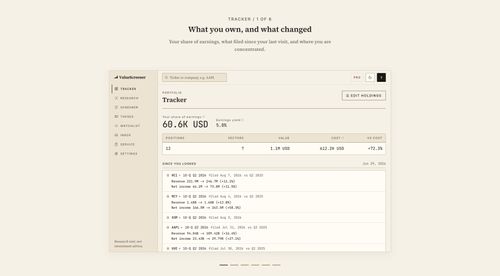
ValueScreener
Screen stocks with 30+ value investing disciplines, then hear the night your thesis breaks

Photo to Video
Photo to Video AI Generator — Animate Any Image Free

Framepack AI
Framepack AI Next-Generation AI for Video Generation
Featured Banner for File Studio Productivity Tool (1080x75)