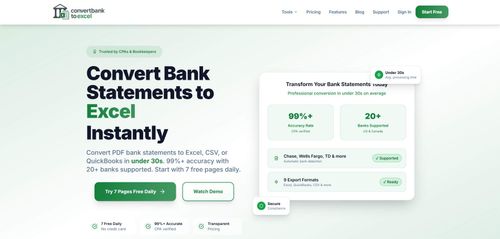
Transform bank statements from PDF to Excel & CSV in seconds with 99% accuracy
ConvertBankToExcel efficiently transforms PDF bank statements into editable Excel and CSV files with over 99% accuracy, streamlining data management for accountants and bookkeepers. Its AI-driven process supports multiple formats, enhancing compatibility with popular accounting software.
Key Advantages
- ✓Supports over 2000 banks worldwide for broad applicability.
- ✓Offers multiple export formats including Excel, CSV, QBO, and OFX for versatility.
- ✓No software installation or account required for initial use, enhancing accessibility.
Trade-offs & Considerations
- •Limited to 7 free pages daily without subscription.
- •Primarily designed for small to medium-sized accounting tasks rather than large-scale enterprise use.
What is ConvertBankToExcel?
ConvertBankToExcel is an AI-powered tool that converts bank statements from PDF format into editable Excel and CSV files swiftly and accurately. Designed for accountants and bookkeepers, it ensures a seamless transition of financial data with over 99% accuracy, supporting various formats like QBO and OFX.
Key Features & Highlights
5 FeaturesCore capabilities and advantages of using ConvertBankToExcel for your workflow:
How to use ConvertBankToExcel
Using ConvertBankToExcel is straightforward and user-friendly. Begin by uploading your bank statement PDF to the platform. The AI will instantly analyze the document and convert it into your desired format—Excel, CSV, QBO, or OFX. Within seconds, you’ll receive a downloadable file that you can directly use for accounting or further analysis. The intuitive interface guides you through the process, ensuring even those with minimal tech skills can leverage this powerful tool effortlessly.
About ConvertBankToExcel
ConvertBankToExcel is a game changer for startup founders and financial professionals alike. It addresses a common pain point: handling cumbersome bank statements in PDF format. By automating the conversion process, it saves time and minimizes human error, crucial for maintaining accurate financial records. Founders can focus on scaling their businesses, knowing that their financial data is being processed efficiently. The impressive accuracy rate ensures that accountants can trust the data they’re working with, making it an invaluable tool for financial management. This app not only simplifies bookkeeping but also enhances productivity, making it a must-have for any serious entrepreneur.
Real performance numbers in the last 30 days
Frequently Asked Questions
Common questions about ConvertBankToExcel, features, and launch details.
Q:How accurate is the data extraction?
Our app boasts a 99% accuracy rate, verified by CPAs, ensuring reliable data extraction from your bank statements.
Q:Is there a limit on how many statements I can convert?
You can convert up to 7 pages for free daily without needing to enter credit card information.
Q:What formats can I export my converted statements to?
You can export your converted statements to multiple formats including Excel, CSV, QBO, OFX, QFX, and more.
Related Productivity Apps
View All →
SnowCatForSale
Snowcats for sale
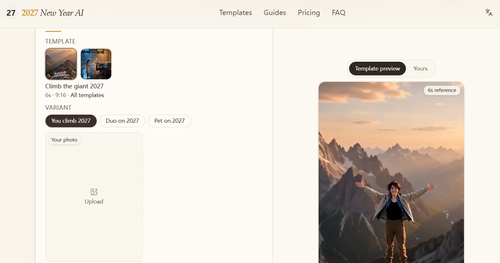
2027 New Year AI
2027 New Year AI Video Generator | Hello 2027 & Goodbye 2026
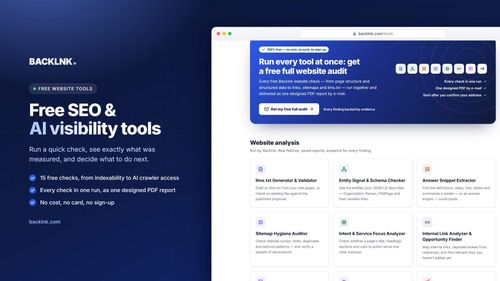
BACKLNK
Free SEO and AI visibility tools and guides to get found in search engines and AI answers
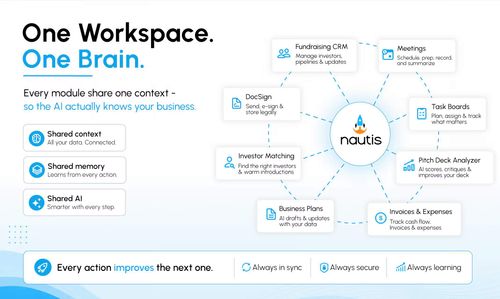
Nautis
The AI-Native Operating System for Founders and Growing Businesses

Seedance 2.5
Seedance 2.5 Video Generator

Seedance 3.0
Seedance 3.0 AI Video Generator