Clean Voice
AiDR 2.1AI-powered media cleaning for clearer spoken audio
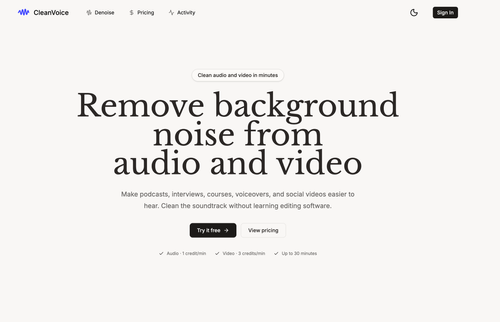
Clean Voice is an AI-driven tool that effectively removes background noise from audio and video, providing a straightforward solution for content creators seeking clearer sound. Its credit-based system ensures you only pay for successful cleanups, making it a cost-effective choice for those needing reliable audio enhancement.
Key Advantages
- ✓Simple drag-and-drop interface ideal for first-time users.
- ✓Credits charged only for successful audio or video cleaning tasks.
- ✓Supports multiple audio and video formats, catering to a wide range of content types.
Trade-offs & Considerations
- •Limited to 30-minute files by default, which may not suit longer projects.
- •Video cleaning is more credit-intensive than audio, potentially increasing costs for video-focused users.
What is Clean Voice?
Clean Voice is an intuitive app designed to eliminate background noise from audio and video recordings. It simplifies the editing process for podcasters, content creators, and anyone needing clearer sound.
Key Features & Highlights
5 FeaturesCore capabilities and advantages of using Clean Voice for your workflow:
How to use Clean Voice
To use Clean Voice, simply drag and drop your audio or video files into the app. Let the AI process the files, then download or export your cleaned recordings.
About Clean Voice
Clean Voice was created to help users enhance audio and video quality without needing extensive editing knowledge. It leverages advanced AI technology to provide professional-grade sound cleanup in a user-friendly format.
Real performance numbers in the last 30 days
Frequently Asked Questions
Common questions about Clean Voice, features, and launch details.
Q:What audio and video formats does Clean Voice support?
Clean Voice supports audio formats like MP3, M4A, WAV, and AAC, as well as video formats including MP4, MOV, and WebM.
Q:How are audio and video services charged?
Audio processing costs 1 credit per rounded-up minute, while video processing costs 3 credits per rounded-up minute, with a minimum of 1 credit.
Q:Can I retry a failed task in Clean Voice?
Yes, you can retry a failed task from the Activity section using the current processing configuration.
Related Ai Apps
View All →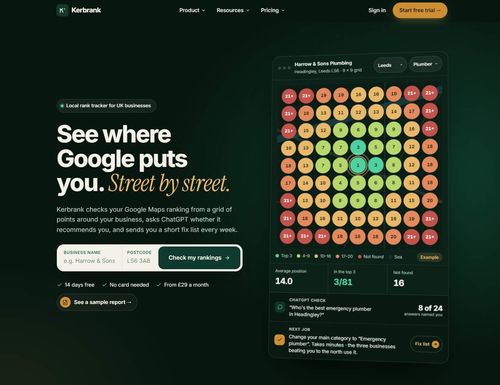
Kerbrank
See where Google puts you. Street by street.

Adobe Firefly Background Remover
Adobe Firefly AI Background Remover: free one-click transparent cutouts

Bolly.AI
Put yourself in any viral clip. AI image, video and audio in one creative suite.
Video Compressor — VidPackit
Video Compressor — Compress Video Free Online
Techory.ai
Run your entire service business in one powerful platform.

HAGS Clothing
HAGS Clothing
Featured Banner for Clean Voice Ai Tool (1080x75)