NestMaxx
True-shape nesting, online and free

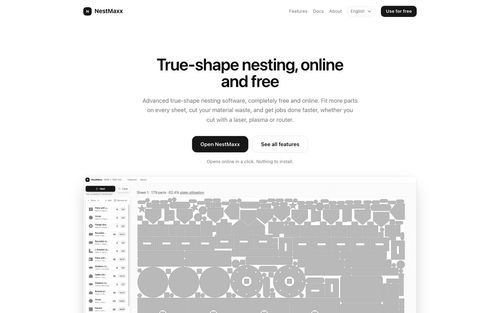
NestMaxx is a free online true-shape nesting software that optimizes the arrangement of parts on sheets for laser, plasma, and CNC cutting. It significantly reduces material waste and enhances efficiency by allowing users to export designs in DXF or SVG formats.
Indie founders and small manufacturers looking to reduce material waste and optimize their cutting processes.
NestMaxx stands out as a must-have tool for anyone in the cutting industry, providing unmatched efficiency and cost savings. It's a straightforward solution that helps you work smarter, not harder.
Charles T
Thursday, November 5, 2026
0.5 / 100
Ahrefs Domain Rating measures backlink strength on a 0 to 100 scale.
- True-shape nesting algorithm for maximum efficiency
- Built-in 2D CAD editor for creating custom parts
- Over 40 ready-made parametric shapes
- Multi-sheet nesting capability
- No subscription or licensing fees
- Completely free to use with no hidden costs
- Advanced true-shape nesting algorithm for minimal waste
- Built-in CAD editor for easy part creation
- Requires internet access as it is an online tool
- Limited to 2D designs only
To use NestMaxx, simply visit the website and upload your parts in DXF or SVG format. Adjust your sheet size and parameters, then click 'Nest' to see your optimized layout. Finally, export your design for cutting with just a few clicks.
NestMaxx is a game-changer for indie founders and solo builders in the manufacturing space. By providing advanced true-shape nesting capabilities, this tool addresses the critical challenge of material waste, enabling users to maximize their cutting efficiency and minimize costs. With features like a built-in CAD editor and a library of over 40 parametric shapes, NestMaxx empowers users to create precise layouts without any prior software experience, making it an invaluable resource for startups looking to streamline their production processes.
Real performance numbers in the last 30 days
Questions
What file formats can I import into NestMaxx?
You can import DXF and SVG file formats into NestMaxx, which allows for accurate nesting of your designs.
Does NestMaxx support multi-sheet nesting?
Yes, NestMaxx can nest across multiple sheets and indicates which parts did not fit, allowing you to optimize your material usage fully.
Is there a limit to the number of shapes I can create?
No, you can create an unlimited number of custom shapes using the built-in CAD editor, making it easy to adapt to your specific needs.
Related Design
View all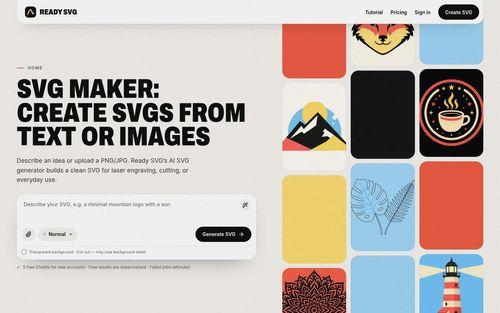 Ready SVGAI SVG maker from text or images for laser, cut, and everyday design
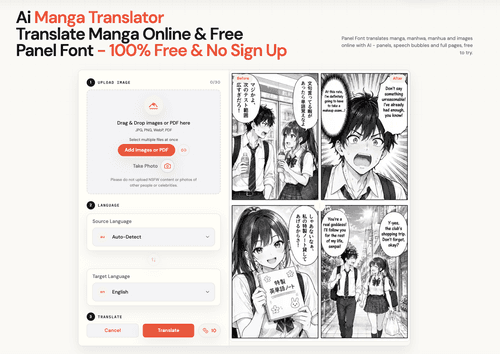 Panel FontManga Translator - Translate Manga Image Free & No Sign Up
 FusilladeAI-powered firearm evidence management for law enforcement.
 VidsemblyTurn Presentations and Documents Into Professional AI Videos
 Morph3DAI 3D model generator that turns text or images into downloadable 3D models
 Ascendant FinancialInfinite Banking advisors for families and business owners