ImageTextTools
Edit the text inside any photo
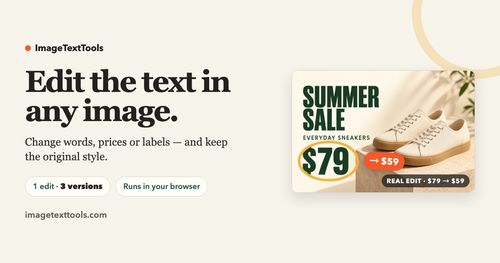
ImageTextTools is an innovative web-based application that allows users to edit text within images without requiring design skills. It solves the challenge of updating text elements like prices or dates in photos seamlessly and effectively.
Indie founders and marketers looking to enhance their visual content with easy-to-make text edits.
ImageTextTools is a game-changer for anyone needing quick image edits, delivering high-quality results without the need for specialized software.
Peter Zhao
Thursday, November 5, 2026
8 / 100
Ahrefs Domain Rating measures backlink strength on a 0 to 100 scale.
- AI-based text editing preserving original style
- Three editable versions generated per image
- No sign-up required for a free HD download
- Supports multiple image formats (JPG, PNG, WebP)
- Easy-to-use interface for quick text changes
- User-friendly interface with no design expertise required
- AI maintains original image style while editing
- One free HD download available for initial users
- Limited to text edits; no image creation or erasing features
- Results may vary based on image quality and text clarity
To use ImageTextTools, start by uploading the image you wish to edit, then select the text you want to change and type in your new text. After making your edits, the tool generates three different versions for you to compare, allowing you to choose the best one before downloading your HD result.
ImageTextTools is an exciting tool for anyone looking to make quick text edits in images. This app utilizes advanced AI technology to maintain the original style of your images while allowing you to change text effortlessly. Founders and indie builders will appreciate its simplicity, as it requires no design files or complex software to achieve professional results, making it ideal for marketing materials, social media posts, and promotional content.
Real performance numbers in the last 30 days
Questions
Is there a limit to the number of images I can edit?
You can edit one image at a time, but you can upload multiple images in separate sessions to make additional edits.
Can I edit text on my mobile device?
Yes, ImageTextTools is fully accessible through mobile browsers, allowing you to edit images on the go without the need for an app.
What file formats does ImageTextTools support?
You can upload images in JPG, PNG, or WebP formats, with a maximum file size of 10 MB.
Related Ai
View all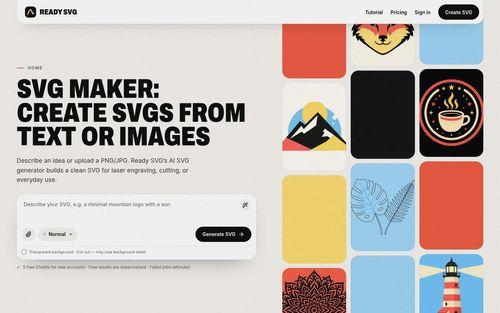 Ready SVGAI SVG maker from text or images for laser, cut, and everyday design
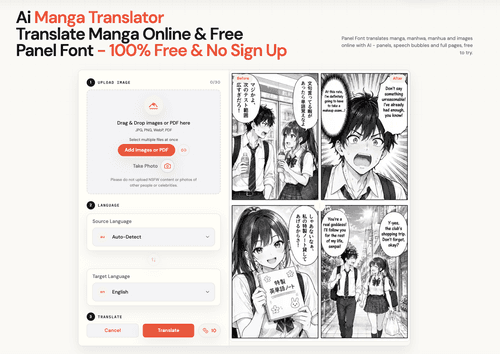 Panel FontManga Translator - Translate Manga Image Free & No Sign Up
 FusilladeAI-powered firearm evidence management for law enforcement.
 VidsemblyTurn Presentations and Documents Into Professional AI Videos
 Morph3DAI 3D model generator that turns text or images into downloadable 3D models
 Ascendant FinancialInfinite Banking advisors for families and business owners