Beavery
Pick many Live Photos, GIFs and stills from one video
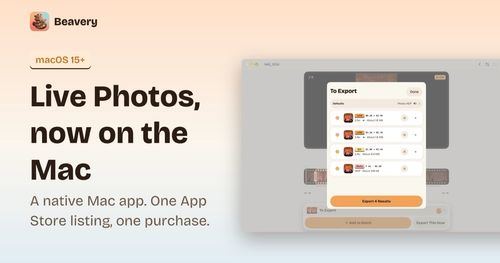
Beavery is a powerful tool that transforms videos into multiple formats, including Live Photos, GIFs, and full-quality images. It solves the problem of having to export video clips one by one, streamlining the process for users seeking to create dynamic content.
Content creators and indie developers seeking to maximize video utility across multiple formats.
Beavery simplifies multimedia creation by allowing users to extract and export multiple formats from a single video effortlessly. It's an essential tool for anyone looking to enhance their digital storytelling.
Shufan Li
Thursday, November 5, 2026
12 / 100
Ahrefs Domain Rating measures backlink strength on a 0 to 100 scale.
- Export multiple formats from one video in one go
- Create dynamic Lock Screen wallpapers
- User-friendly interface for easy moment selection
- Retains HDR, sound, and metadata during export
- Available on iPhone, iPad, and Mac
- Efficiently export multiple formats from one video.
- User-friendly interface for easy navigation.
- Retains HDR, sound, and metadata for high-quality outputs.
- Free version limits exports to one result at a time.
- Pro features require a one-time payment or subscription.
To use Beavery, start by uploading your video into the app. Next, select the desired moments frame by frame and add them to your export list. Finally, choose your preferred formats—Live Photos, GIFs, or images—and export them all at once to your Photos library.
Beavery is a game-changer for content creators looking to maximize the potential of their videos. With its ability to extract multiple moments from a single video and export them as Live Photos, GIFs, and high-resolution images, it addresses the common frustration of limited export options. Founders and indie builders will appreciate the seamless user experience on iPhone, iPad, and Mac, making it a must-have tool for anyone aiming to enhance their multimedia projects.
Real performance numbers in the last 30 days
Questions
Can I use Beavery on my Mac?
Yes, Beavery has a dedicated app for Mac that allows you to convert videos into Live Photos, GIFs, and images seamlessly.
What formats can I export from Beavery?
You can export your selections as Live Photos, GIFs, or full-quality photos, all from within the app.
Is my video data safe with Beavery?
Absolutely! All video processing occurs on your device, ensuring your data is never uploaded or shared externally.
Related Productivity
View all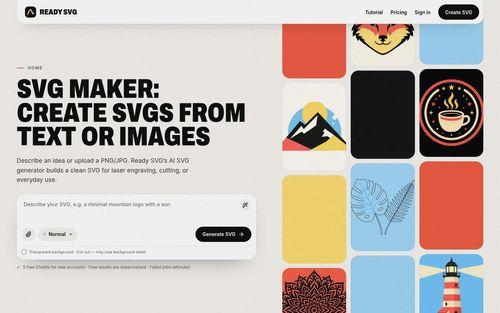 Ready SVGAI SVG maker from text or images for laser, cut, and everyday design
 Panel FontManga Translator - Translate Manga Image Free & No Sign Up
 FusilladeAI-powered firearm evidence management for law enforcement.
 VidsemblyTurn Presentations and Documents Into Professional AI Videos
 Morph3DAI 3D model generator that turns text or images into downloadable 3D models
 Ascendant FinancialInfinite Banking advisors for families and business owners